ENGLISH
Chapter 4: Using the DVR
DVR User’s Manual
49
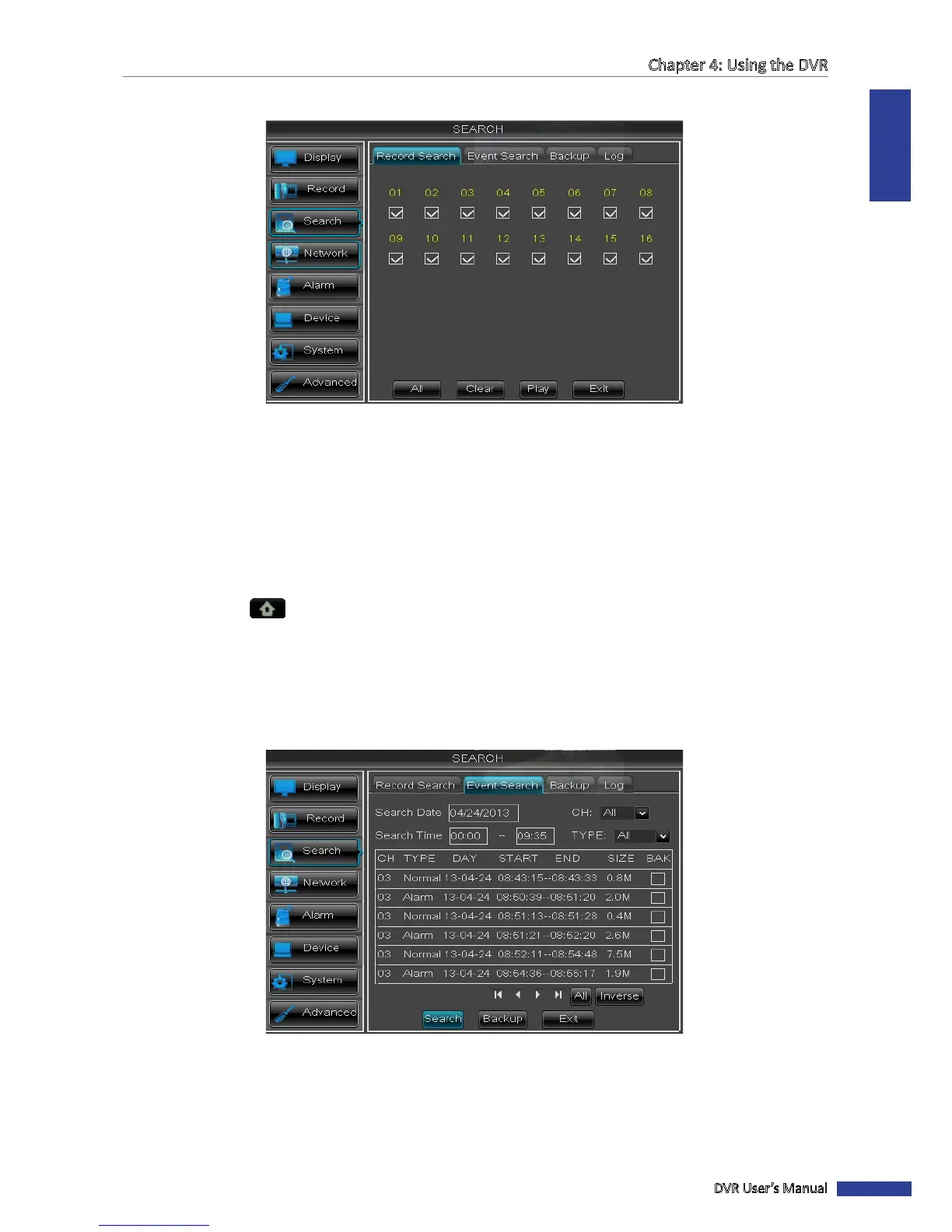
6 Select the channel(s) to play simultaneously.
« TIP »
• To select all channels, click All.
• To deselect all channels, click Clear.
7 Click Play to start playback.
4.3.3 Searching Videos by Event
1 In preview mode, right-click on the mouse to display the Pop-up menu.
2 Select Main Menu > SEARCH, click the Event Search tab.
3 On Search Date, specify the recording date.
4 On Search Time, specify the starng me and the ending me to search for the event.
5 On CH, select the channel to search, or select All to search all channels.
6 On TYPE, select the type of recording to search. Opons are: All, Normal or Alarm.
7 Click Search. The recordings are listed on the table.



 To Next Page