IC-601 3-10
3.4 How to Search
3
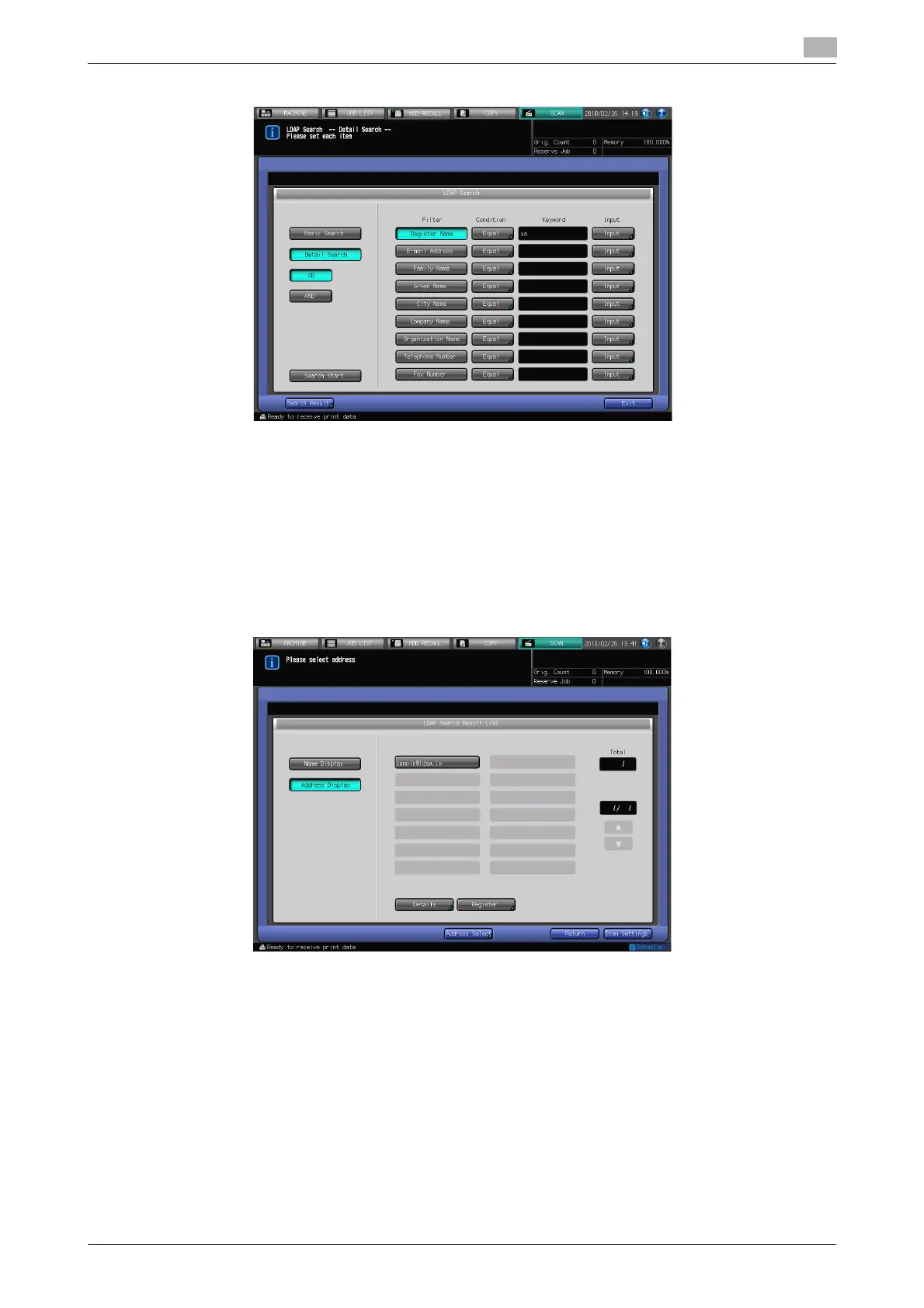
% In case of [Detail Search]
% To change the search condition, press a key under [Condition] and change the Condition Setting on
the screen displayed.
% The search ongoing screen is displayed while in the search.
% [Detail Search] is for up to 256 and 64 input search characters for [Register Name]/[E-mail Address]
and other fields at the maximum, respectively.
5 Press [Search Start].
% Press [Cancel] if you want to cancel the search.
% Press [Return] to return to the Search screen if you encounter with the LDAP search error.
6 Check the search result.
% The desired name will be displayed. Press [Address Display] to display its E-mail address. (Displays
up to 100 addresses)
% Specify an address and press [Details] if you want to check its detailed information.
7 When transmitting:
Select an address for transmission from the result of search and press [Scan Settings] to display the
Scan Settings screen.
% If you want to specify the other address, click [Address Select], specify the desired address, and
click [Scan Settings].
Set an original and press [Start].
% Refer to page 6-34 for the Scan Settings screen.
% You can select multiple addresses for transmission.













 To Next Page