Error Displays and Other Indicators
8
Konica 7115/7118 8-9
3
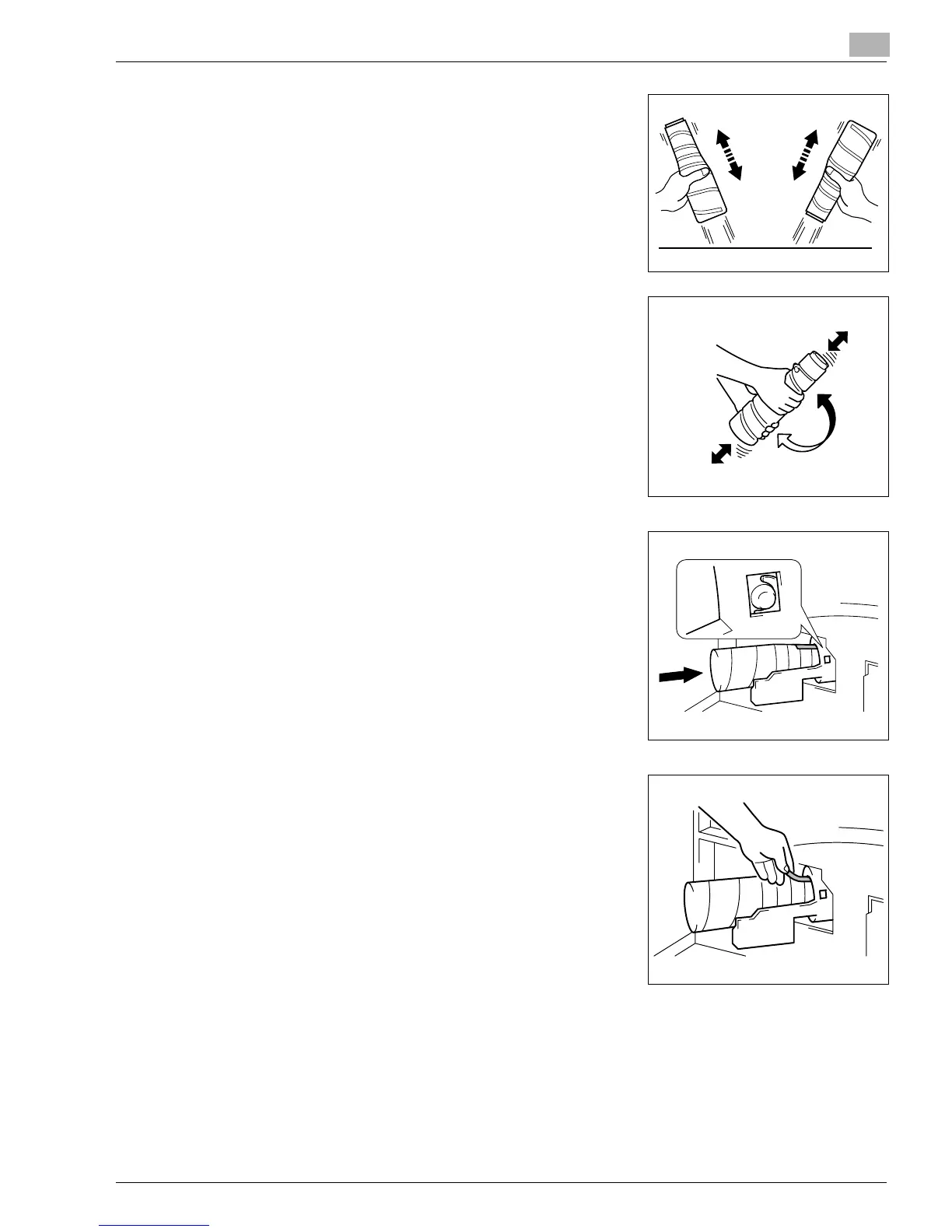
Sharply tap the new Toner Bottle against a desk or other
hard surface four or five times. Then turn the Toner Bottle
upside down and tap it the same way again.
❍
Be sure to carry out this procedure, as toner can be
caked in the bottle.
4
Shake the new Toner Bottle well.
5
With the “UP” marking on top, insert and push the bottle
into position.
?
Do you know how much you need to insert the bottle?
➜
Fit the protrusion on the Toner Bottle all the way into
the recess in the holder as illustrated.
6
With the seal on the Toner Bottle facing up, slowly peel off
the seal as illustrated.
?
Do you know the special precautions to be used when
peeling off the seal?
➜
Slowly peel off the seal, as some toner may puff out
from the bottle.
Konica7115_7118.book Page 9 Friday, October 19, 2001 12:02 PM











 To Next Page