Making Copies
5
Konica 7115/7118 5-9
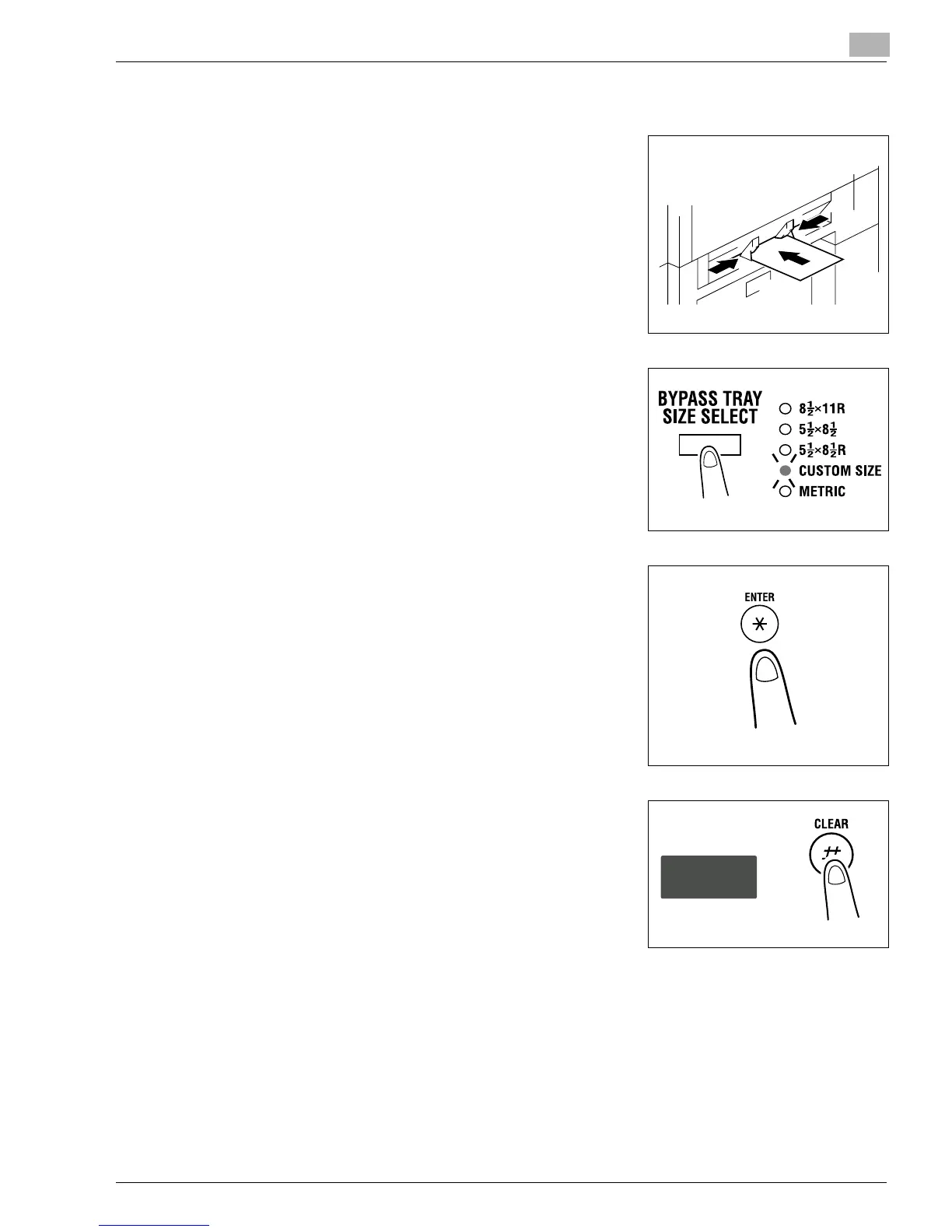
<Custom Size Input (Bypass Tray)>
1
Slide the Paper Guides to the size of the paper. Gently
insert the paper with the paper facing down until it is
stopped. Note that the Bypass Tray location indicator on
the control panel lights.
2
Press the [BYPASS TRAY SIZE SELECT] key until the
Custom Size indicator blinks.
3
Press the [ENTER] key.
4
Press the [CLEAR] key to clear the old value shown on
the Display.
Konica7115_7118.book Page 9 Friday, October 19, 2001 12:02 PM











 To Next Page