5
Making Copies
5-10 Konica 7115/7118
5
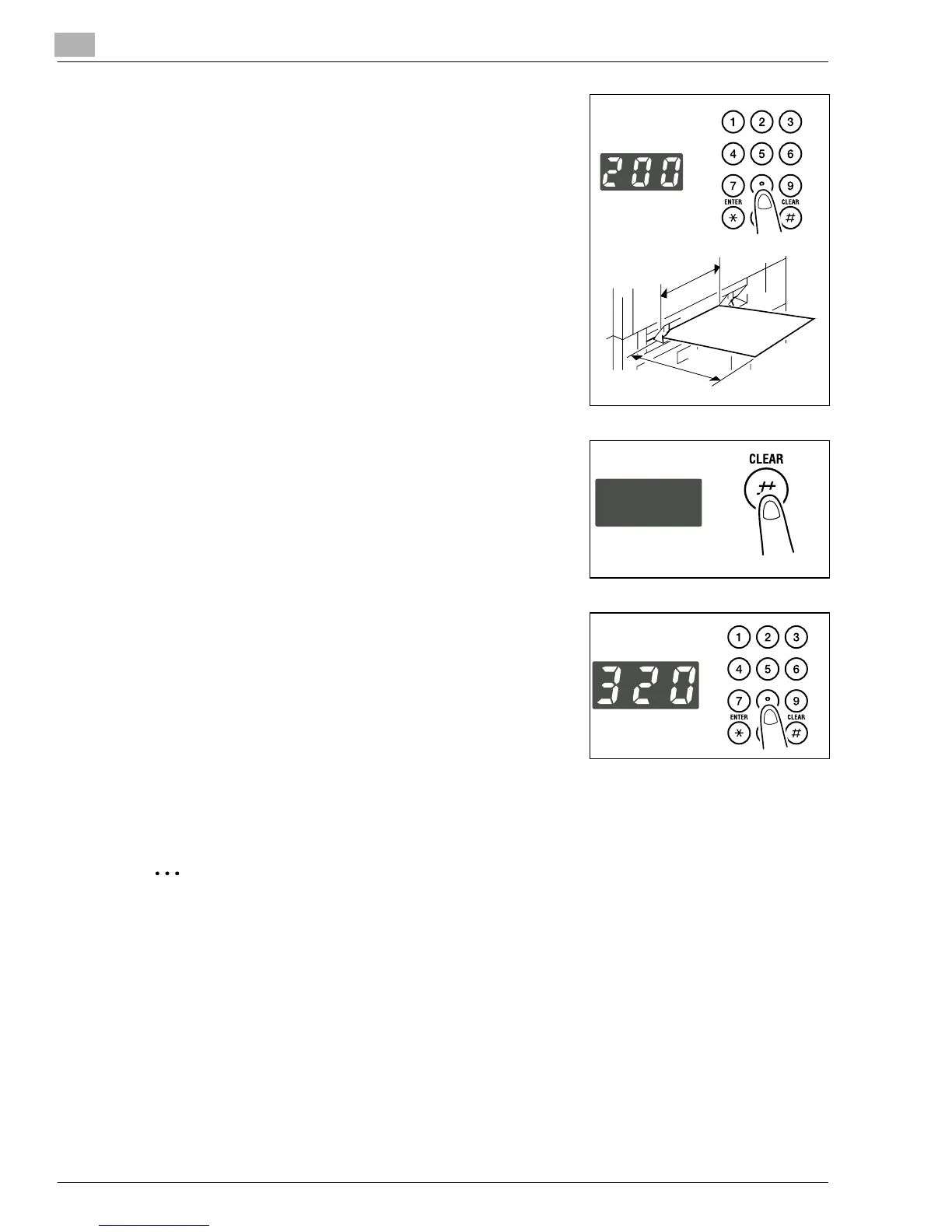
Enter the length (mm) of the paper on the KEYPAD.
?
Do you know what is the range for the paper width of
custom size?
➜
The width can range from 90 mm to 297 mm.
?
Do you want to change the value just entered?
➜
Press the [CLEAR] key and then re-enter the new
value.
?
What are the precautions for entering a custom size?
➜
Note the conventions for the paper dimensions, width
and length.
6
Press the [ENTER] key.
7
Press the [CLEAR] key to clear the old value shown on
the Display.
8
Enter the length (mm) of the paper on the KEYPAD.
?
Do you know the range for paper length of custom
size?
➜
The length can range from 140 mm to 432 mm.
?
Do you want to change the value just entered?
➜
Press the [CLEAR] key and then re-enter the new
value.
9
Press the [ENTER] key.
✎
TIP
Enter the value by mm using the KEYPAD.
Refer to the conversion rate below.
1 inch = 25.4 mm
Width
Length
Konica7115_7118.book Page 10 Friday, October 19, 2001 12:02 PM











 To Next Page