7 DISPLAY 31
401909-01
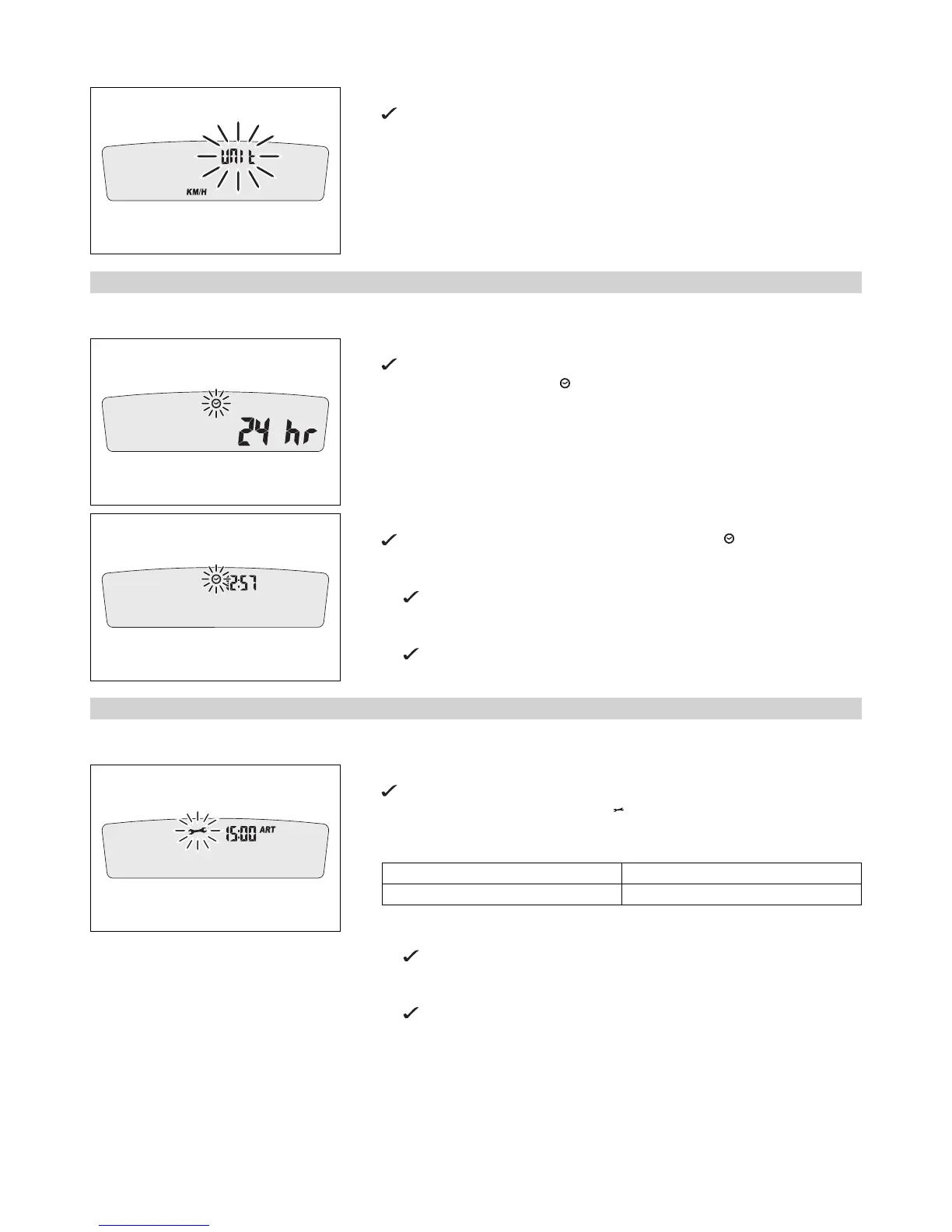
– Press both buttons for 3–5 seconds.
The Setup menu is displayed. The UNIT display flashes.
– Press one of the buttons to select UNIT for the speed in kilometers KM/H or miles
M/H.
7.2.6 Setting the clock
Condition
The motorcycle is stationary.
401911-01
– Press both buttons for 3–5 seconds.
The Setup menu is displayed. The UNIT display flashes.
– Wait for the menu of the clock to flash.
– Press one of the buttons to select the 24h or 12h display of the clock.
401912-01
– Wait for 5 seconds.
The speedometer changes to the next menu item. The symbol flashes.
Resetting the time
– Press the left button.
The value decreases.
Advancing the time
– Press the right button.
The value increases.
7.2.7 Setting the service display
Condition
The motorcycle is stationary.
401913-01
– Press both buttons for 3–5 seconds.
The Setup menu is displayed. The UNIT display flashes.
– Wait for the menu of the service display to flash.
– Set the service.
Guideline
One-time service after 1 h
Service every 20 h
Shortening the service interval
– Press the left button.
The value decreases.
Extending the service interval
– Press the right button.
The value increases.






 To Next Page