OBD & Battery Analysis Scanner
- 34 -
Complete Data Set - Record All PIDs (continued)
4.
From Select Memory, have
the passenger select a memory
location, then press OK.
5.
After the passenger determines
that recording is finished, stop
driving. Data can be viewed
immediately or saved to view later.
Figure 90
Note: An asterisk (*) next to a
location indicates a recording already
exists there. Selecting this location
will overwrite it with new data.
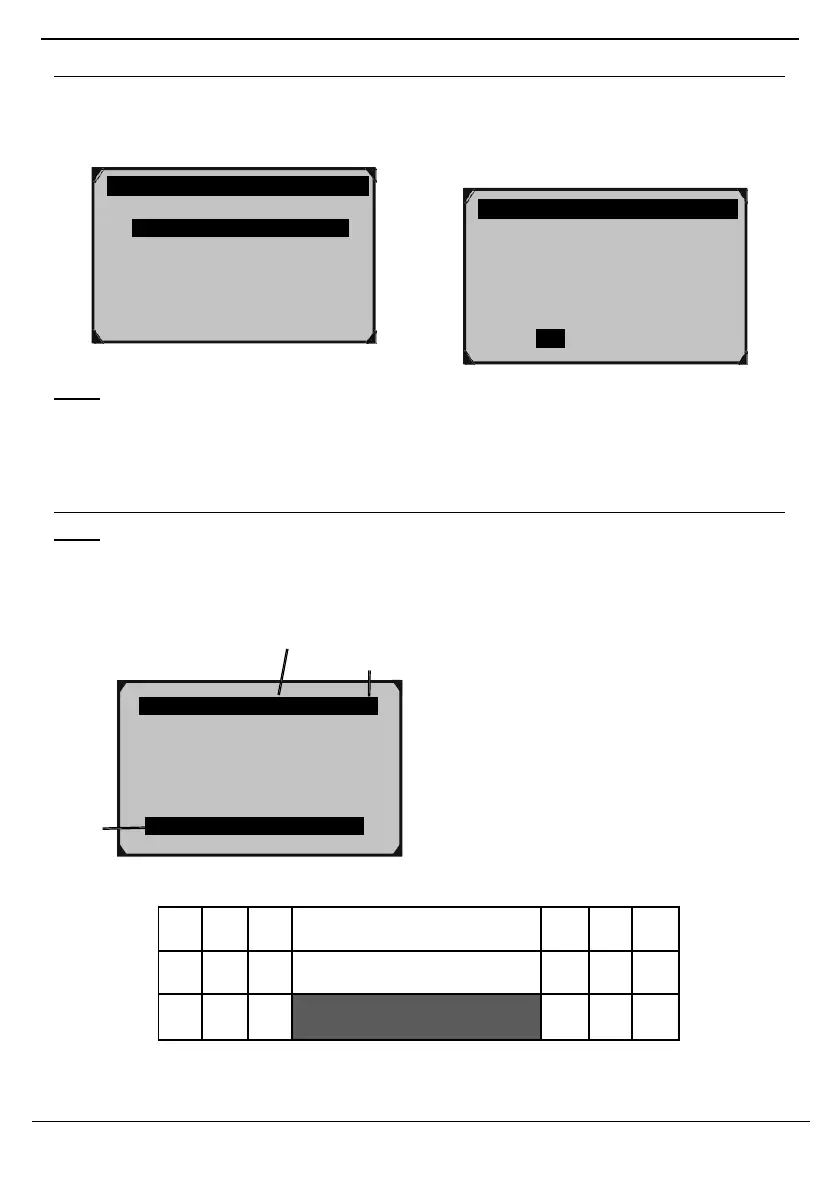
Playback Data
Note: If necessary, have a qualified
technician interpret the data.
1. Scroll Left/Right/Up/Down
to view Playback Data:
Frame 6 of 46
in Row 36
P…la. yback 6/46 Frame 36
DTC_CNT 0
FUELSYS1 0L
FUELSYS2 -- ?
LOAD_PCT(%) 0.0
Figure 91
Interpret Playback Data:
In the grid below, each row contains frames
of PID values shown in Figure 93.
In this example, there are 36 PIDs (rows)
with 46 frames in each row.
The highlighted frame shows frame
6 of 46 for Row 36. This particular frame
shows that the PID for Short Term Fuel
Trim Bank 1 has a value of 99.2%.
Each frame shows a value at the
time of capture, making it possible
to see how the values of individual
PIDs fluctuate over the course of the
recording by scrolling across rows.
Frame 6/46
Row 34 - LOAD PCT(%) 0.0
Frame 6/46
Row 35 - ECT(° F) - 40
Frame 6/46
Row 36 - SHRTFT1(%) 99.2
Figure 93: Interpreting Playback Data
Recording Done!
Playback data?



 To Next Page