5: Using The Cabinet
32
Information Center
The Information Center is an LCD display located on the right side wall at eye
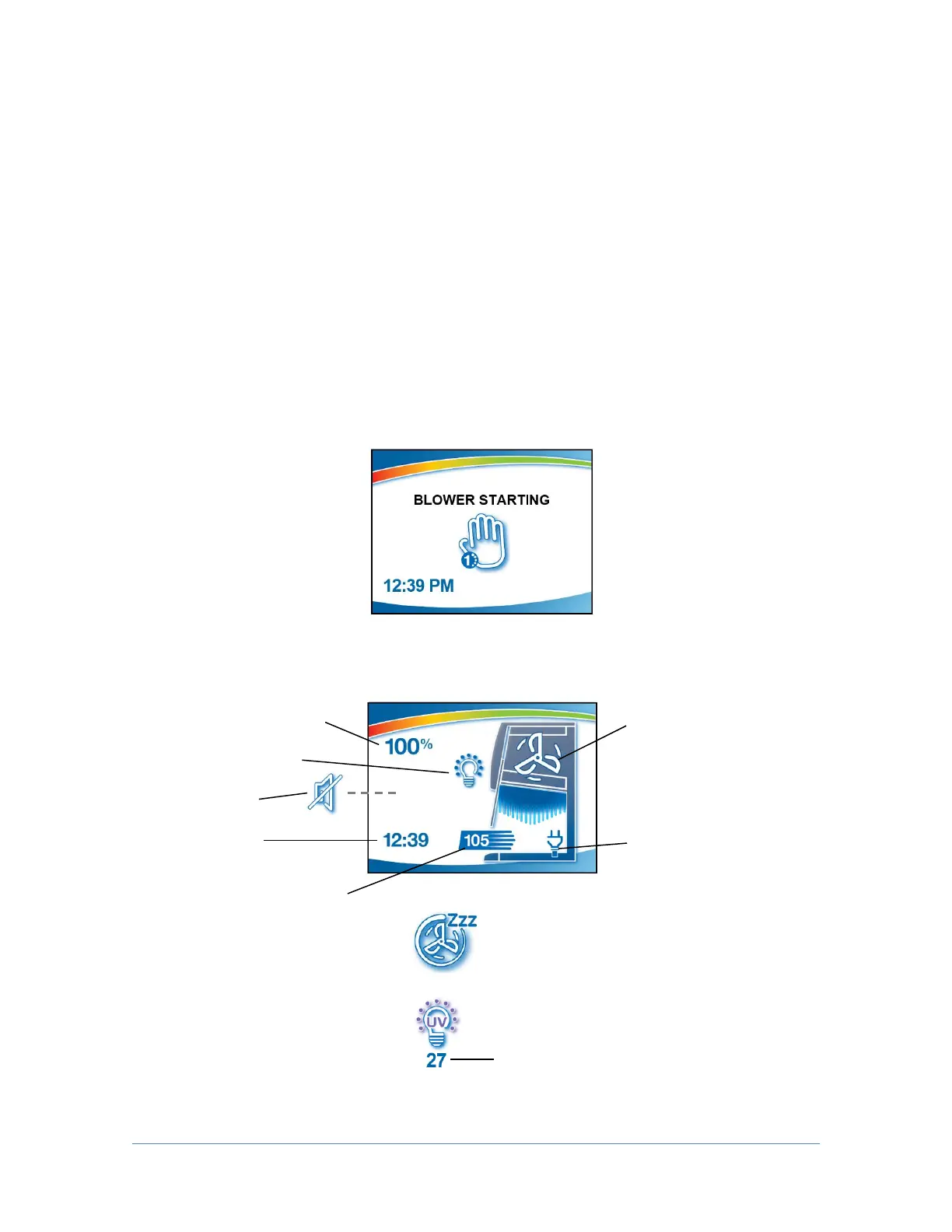
level. When the blower is started, the “Blower Starting” screen will be displayed, as
shown in Figure 5-2. After approximately 30 seconds, the display will switch to
normal operation.
The display provides a clock, the remaining filter life, the cabinet’s current status,
and inflow velocity, as shown in Figure 5-3. In the event of an alarm, the
Information Center will immediately display a context sensitive message indicating
the cause of the alarm, and possible solutions, as shown in Figures 5-4.
The display will enter sleep mode, turning itself off, five minutes after the blower is
turned off.
Blower Status = Reduced Speed
(NightSmart Enabled)
Light Status = UV Light ON
UV Countdown Timer (minutes)




 To Next Page