6: Maintaining The Cabinet
52
Changing the LED Lamps:
1. Unplug the cabinet or turn off the System Reset Switch located on the top of
the cabinet.
2. Remove the front dress panel as noted in Figure 6-3.
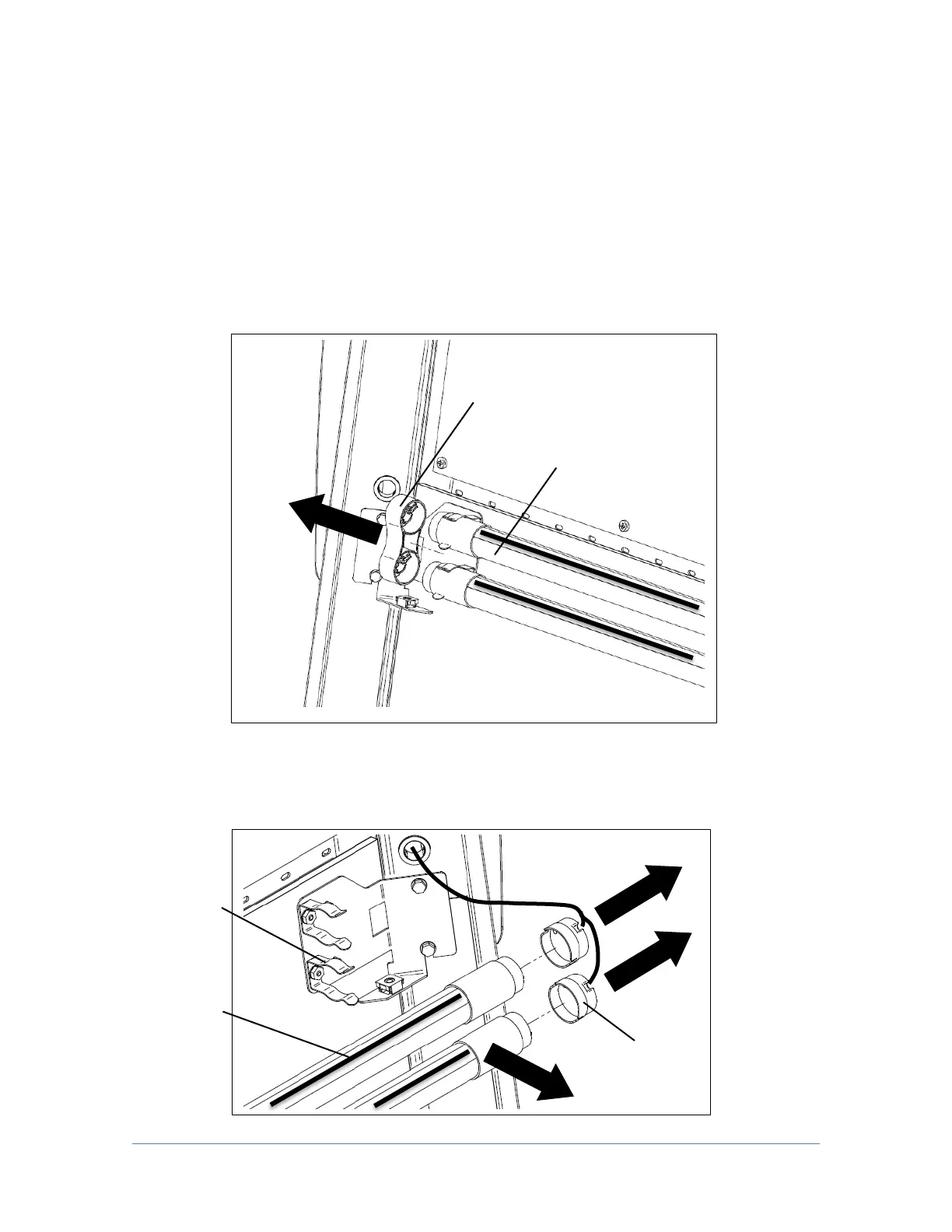
3. Locate the Left End Cap that aligns both LED lamps (Fig. 6-5a), remove the
Left End Cap by pulling it away from the lamp ends.
4. Remove both Socket Caps (on the right end of each LED lamp) by pulling each
Socket Cap straight off the right end of the lamp one at a time (Fig. 6-5b).
Note Dead
Band (on
LED Lamp)




 To Next Page