5: Using The Cabinet
38
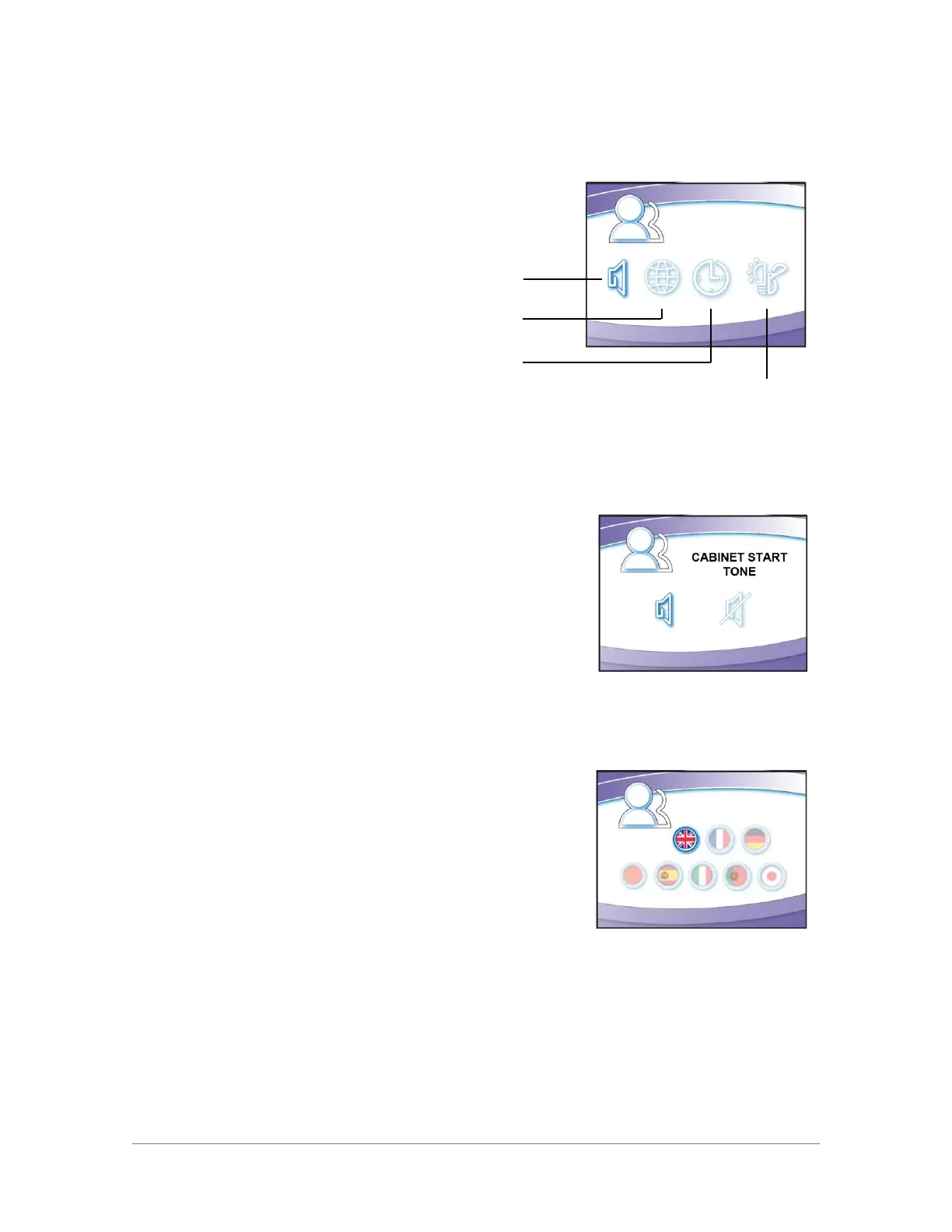
Navigating the Configuration Submenu
This submenu allows you to activate the cabinet
startup tone, set the language, set the clock, and
configures how the unit operates when the sash is
opened or closed.
Activating a Startup Tone
When enabled, an audible tone will sound during
cabinet power up. This also enables or disables
audible tones from the keypad (any button press).
Selecting a Language
[UP] and [DOWN] will move among the selectable
language options. When the desired language is
highlighted, press [OK/MUTE]. Language options:
English
French
German
Chinese
Spanish
Italian
Portuguese
Japanese




 To Next Page