5: Using The Cabinet
42
Navigating UV Parameters
For models equipped with the optional UV light, the cabinet has an integral UV
light maintenance system. It allows you to monitor how many hours the lamp has
been on, to reset the UV lamp hourmeter, and to define how many hours you want
the UV lamp to operate before receiving a reminder to replace it.
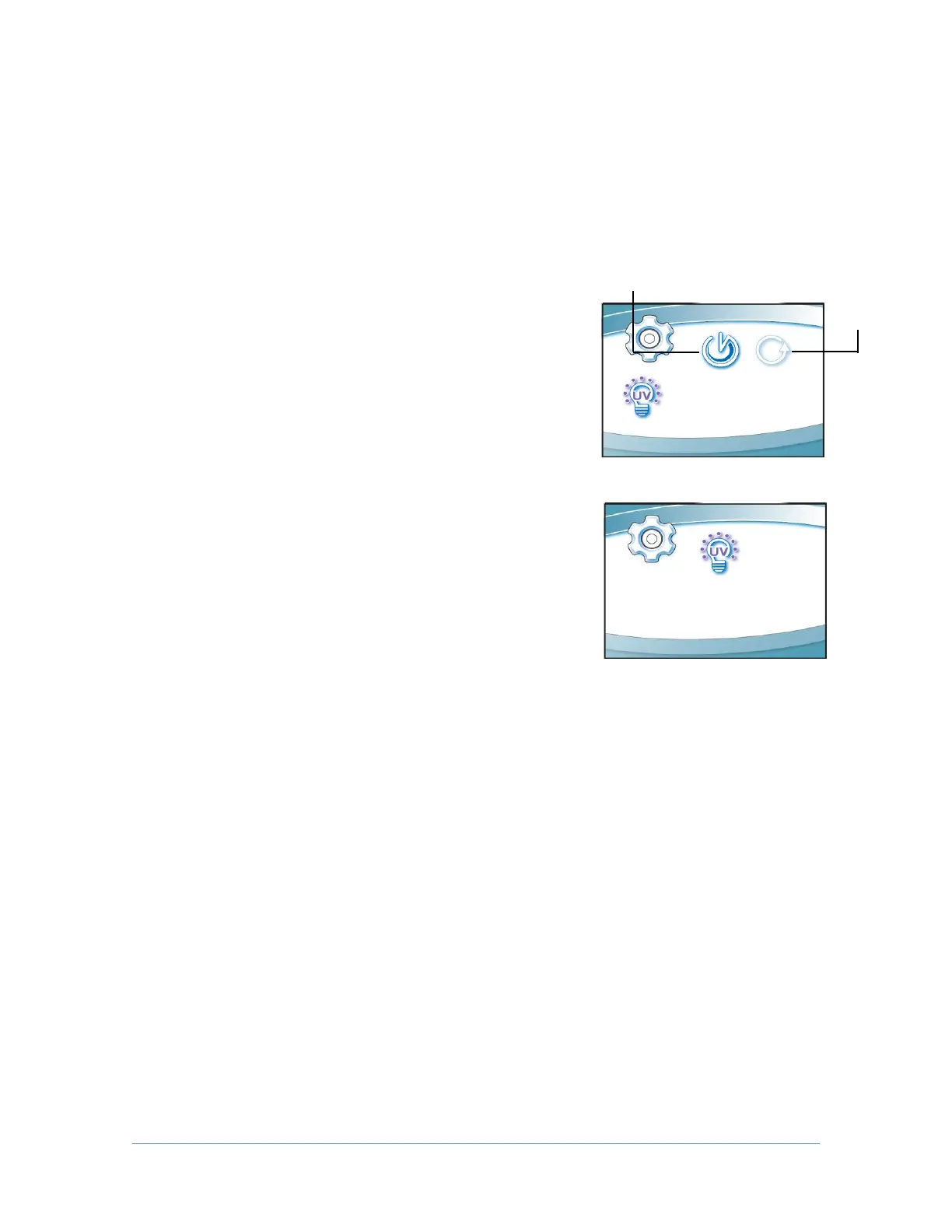
This screen displays the hours of UV lamp operation
(Runtime), and how many hours remain (Remaining)
until you receive a warning to replace the lamp. To
reset the Runtime hourmeter to zero (after replacing
the UV lamp), select Reset, then [OK/MUTE]. The
hour text will begin to flash, if you entered this
condition by mistake, press [MENU]. If you want to
reset the hourmeter, hold [OK/MUTE] for 3 seconds.
To change the desired UV lamp lifetime, select
Lifetime as seen in Fig. 5-7p, then [OK/MUTE]. The
screen shown in Fig. 5-7q will display. To change the
UV lamp lifetime (number of operating hours before
receiving the warning), change the Hour field
accordingly using [UP] or [DOWN], then [OK/MUTE].
For most UV lamps, the output of UV light decreases at a constant rate. Typically,
after 6,000 hours of operation the lamp’s output intensity will reduce to 80% of
when it was new. This option allows you to set operational life of the UV lamp, in
100 hour increments. 6,000 hours is the default.
The Tools Submenu
This submenu is reserved for use by certifiers, during certification or service
procedures. CAUTION! - Entering this submenu will disable some alarms and
functionality so that diagnostic and certification procedures can be performed.




 To Next Page