5: Using The Cabinet
37
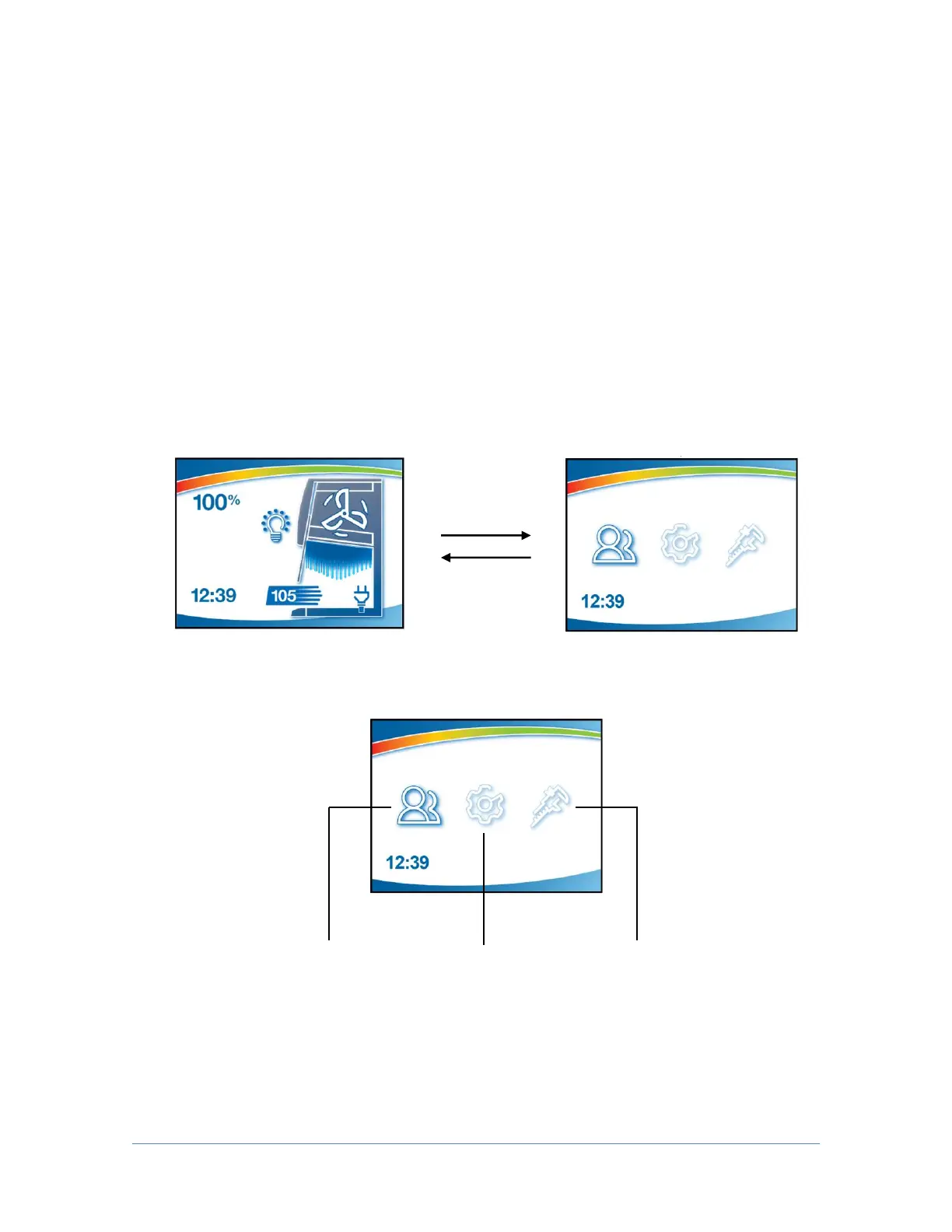
Navigating the Cabinet Menu Screens
Keypad button presses are shown as [blue with brackets]. Menu screen
selections are shown as green italics.
NOTE: Pressing the appropriate keypad button will override Automatic Operation
mode functions (such as SmartStart and NightSmart).
To access the main menu, press the [MENU] button. The display panel will
change to the main menu. To select from the various menu options press the [UP]
or [DOWN] buttons until the selected option is highlighted. Press [OK/MUTE] to
accept that option, or press [MENU] to return to the previous menu level.




 To Next Page