Service Manual JET3
192 Rev. 1.0
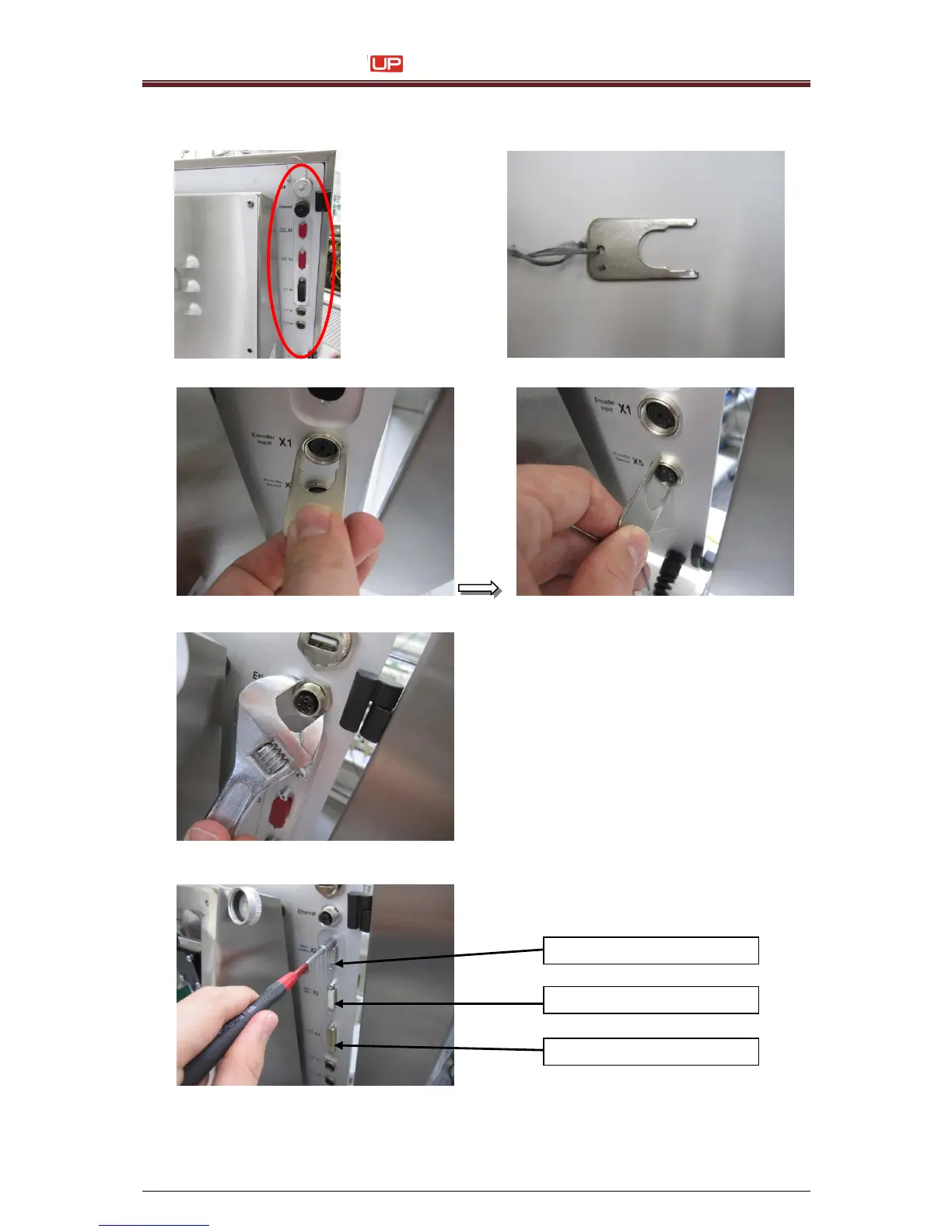
8. Remove the screw connections of the interfaces on the backside of the printer.
Use the special tool. The tool is not an item of the delivery. You must order it extra!
Backside of the printer with the interfaces
Special assembly tool. Art. Nr.: 54-003526 K
Loose the screw connection for Interface X1
Lose the screw connection for Interface X5
Loose the locknut of the Ethernet interface
with a jaw spanner (SW 18 mm)
Interface X4: IO - Connector
Interface X3: IO - Connector
Interface X2: RS 232 Connector
Unscrew the hex bolts fort the interfaces with
a socket spanner (SW 5 mm).



 To Next Page