Step
Perform on each controller module
1
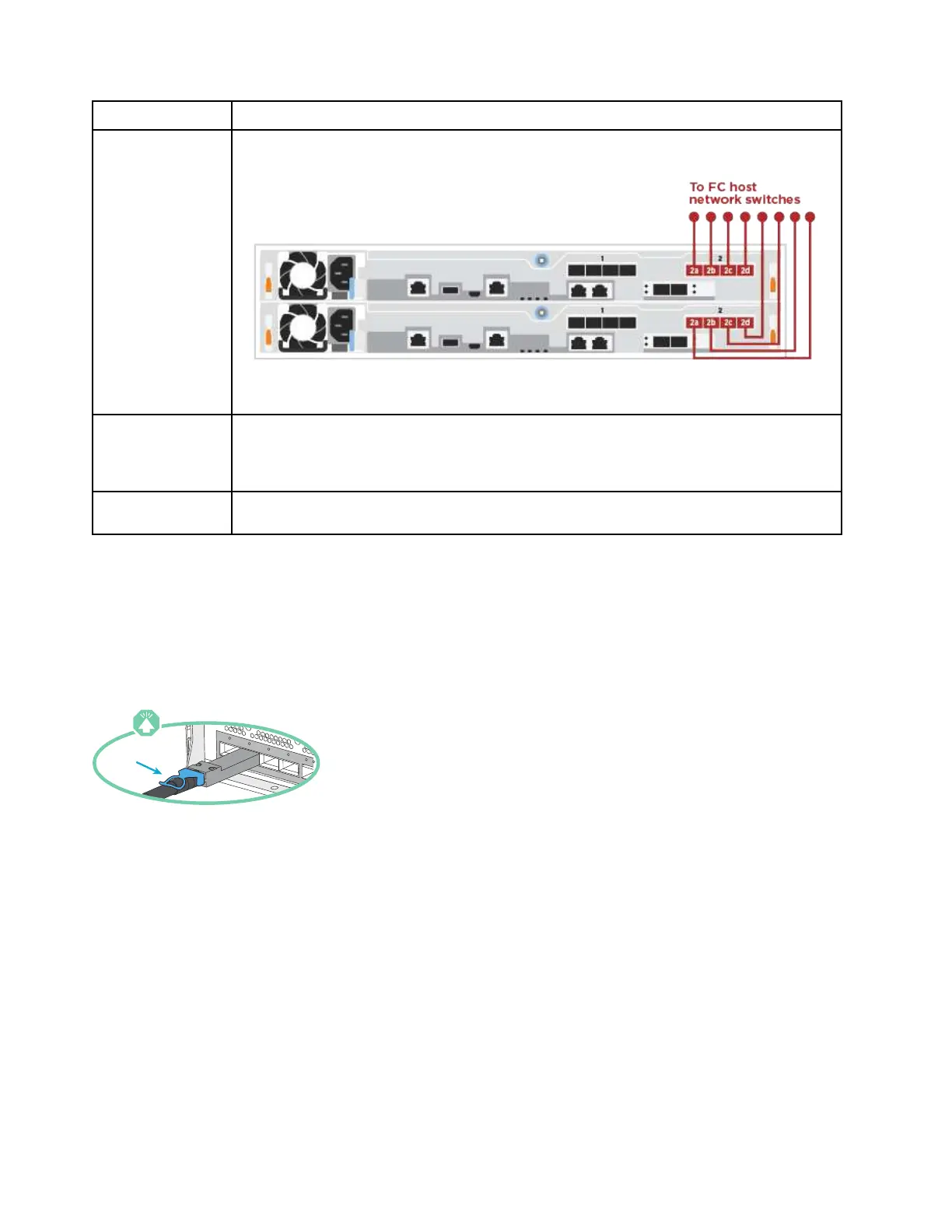
Cable ports 2a through 2d to the FC host switches.
2 To perform other optional cabling, choose from:
•
“Cabling to a 25GbE data or host network” on page 18
• “Cabling the controllers to a single drive shelf” on page 19
3
To complete setting up your system, see
“Completing system setup and configuration” on page
20
.
Cabling to a 25GbE data or host network
25GbE ports on the controllers are connected to 25GbE data or host network switches.
You must have contacted your network administrator for information about connecting the system to the
switches.
Be sure to check the illustration arrow for the proper cable connector pull-tab orientation.
Note: As you insert the connector, you should feel it click into place; if you do not feel it click, remove it, turn
it around and try again.
18
ThinkSystem DG5000 Hardware Installation and Maintenance Guide


 To Next Page
 Loading...





