Fel! Använd fliken Start om du vill tillämpa 見出し 1 för texten som ska visas här.
18
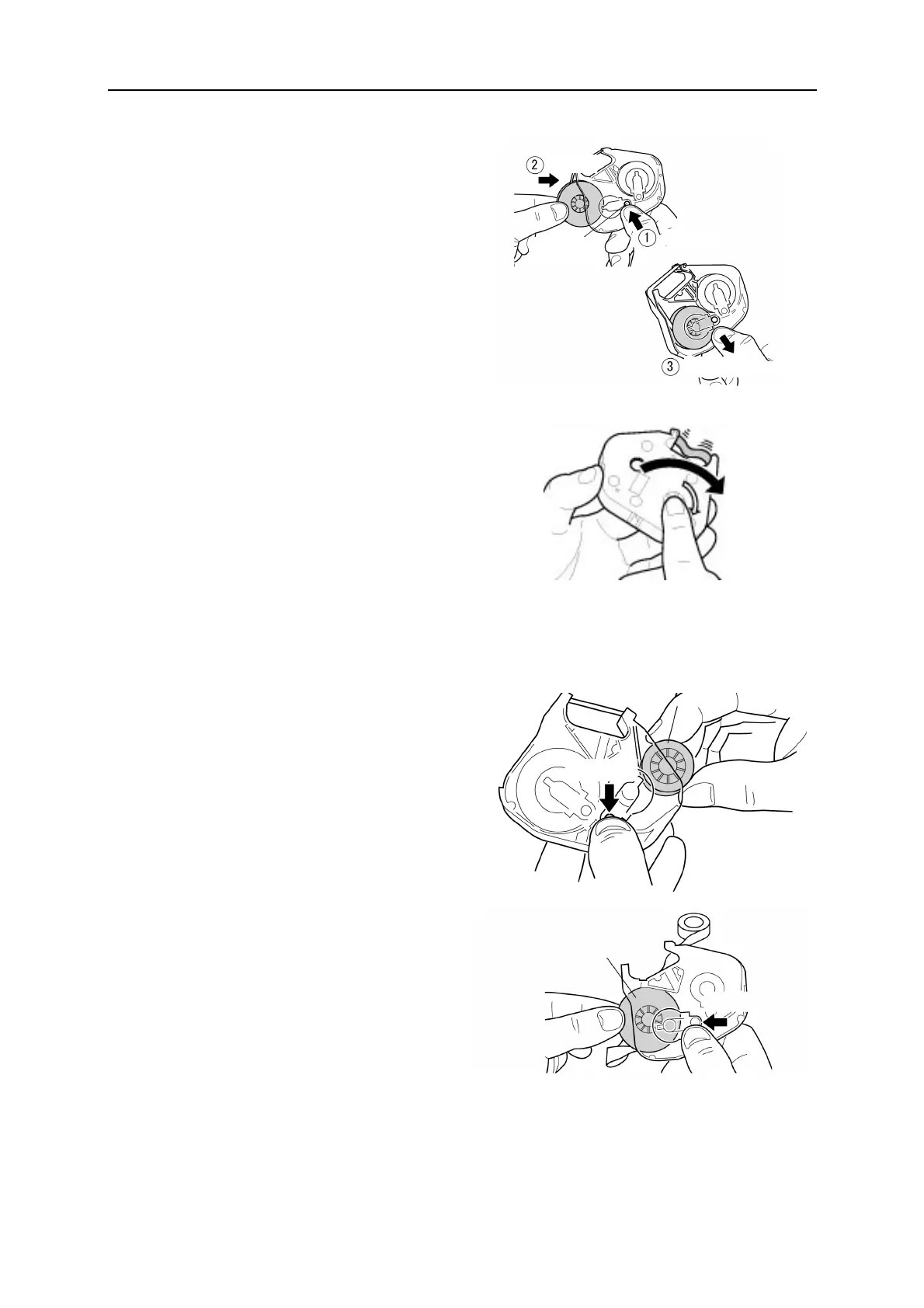
3. While pressing “Button A,” set the
winding core (black) as shown in the
figure. Then, release “Button A” to lock
the ribbon.
4. Rotate the ink ribbon toward the direction
of the arrow until the black surface
appears. (The color changes in the order
of transparent → blue → black)
When the surface (black) has appeared,
stop rotating.
2. Replacing the ink ribbon, first remove the ink ribbon from the ribbon case.
1. While pressing “Button B,” take out the
ribbon core (green or blue) from the
ribbon case.
2. Next, while pressing “Button A,” take
out the winding core (black) from the
ribbon case.
Button B
Winding core
(Black)
Button A
Button A
Release
Insert
The color changes.
Rotation


 To Next Page