Fel! Använd fliken Start om du vill tillämpa 見出し 1 för texten som ska visas här.
39
6-5 NORMAL PRINT
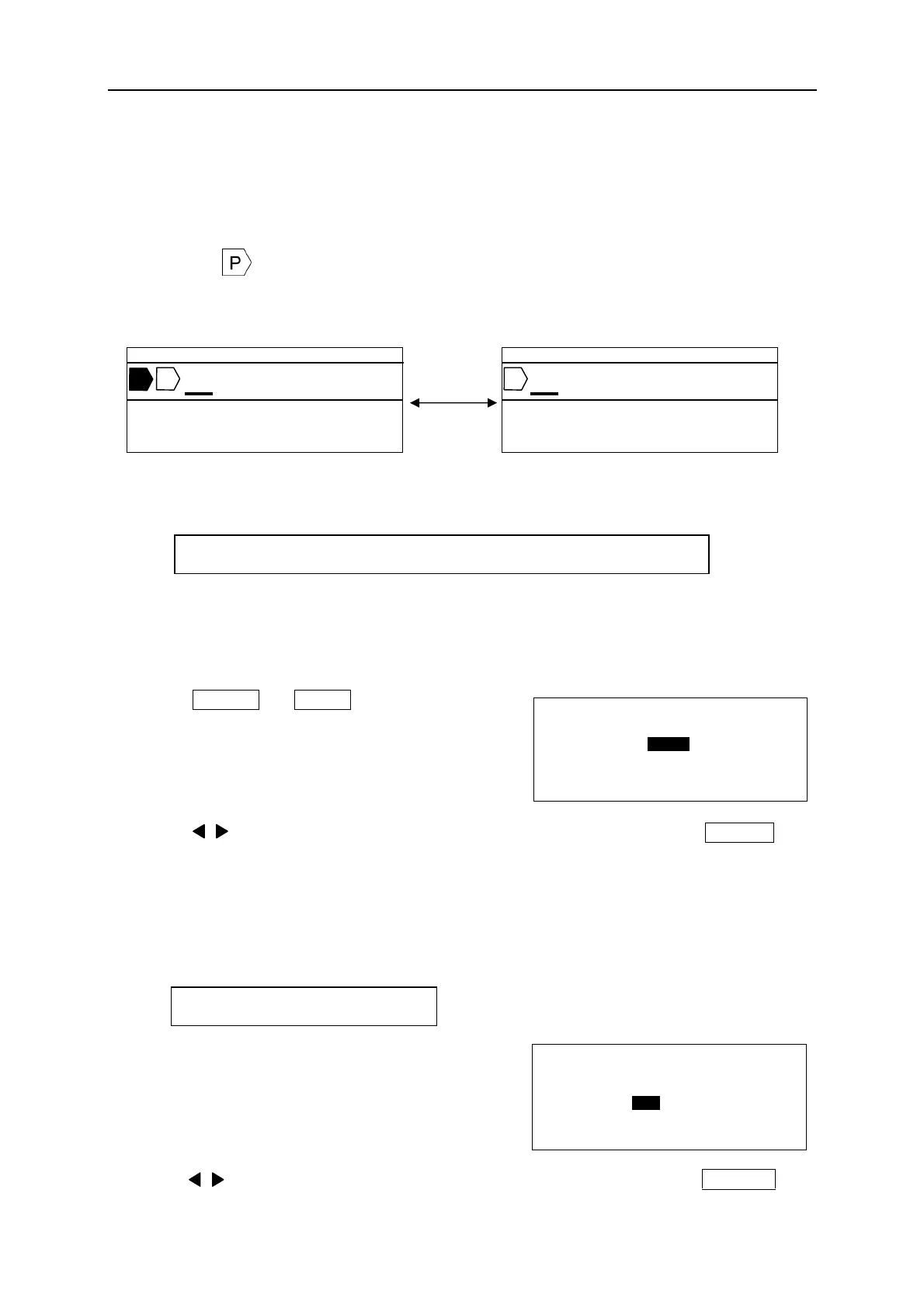
[NORMAL PRINT MODE]
In the [NORMAL PRINT MODE], the pitch print function is not available. In this mode, the
maximum total printing length is 300mm.
Deleting in the [INPUT screen].
6-5-1 PRINTING LENGTH
Setting the total length of the document.
Note: Make sure “AUTO” is “OFF” in the [PRINTING LENGTH setting screen]. When “AUTO”
is “ON,” “PRINTING LENGTH” cannot be manually changed. (The “LENGTH” is shown as
“―――.“)
1. Press SHIFT → SIZE (TP/LNG) to display
the [PRINTING LENGTH setting screen].
2. Press / /▼/▲ key or Ten key to input the value of the “LENGTH.” Press ENTER .
And then the [MARGIN setting screen] appears.
6-5-2 MARGIN
Setting the left and right “MARGIN” of a document.
1. After setting the “PRINTING LENGTH,” the
[MARGIN setting screen] appears.
2. Press / /▼/▲ key or Ten key to input the value of the “MARGIN.” Press ENTER .
Setting range: “LENGTH” = 10~300mm, “AUTO” = ON, OFF
Setting range: 2~30mm
[PITCH PRINT MODE]
[NORMAL PRINT MODE]
▲ 3 0 . 0 C U T 0 0 1
A B C
T A P E 1 2 m m
AUTO STD STD 002
A B C
▲ 3 0 . 0 C U T 0 0 1
T A P E 1 2 m m
AUTO STD STD 002
[ P R I N T I N G L E N G T H ]
L E N G T H = 1 5 0 m m
A U T O = O F F
[ M A R G I N ]
L E F T = 2 m m
R I G H T = 2 m m


 To Next Page