Fel! Använd fliken Start om du vill tillämpa 見出し 1 för texten som ska visas här.
57
7. PRINTING
Printing the created document.
7-1 PRINT RANGE SETTING SCREEN
Not only prints all the blocks, a certain range of blocks can be printed as well.
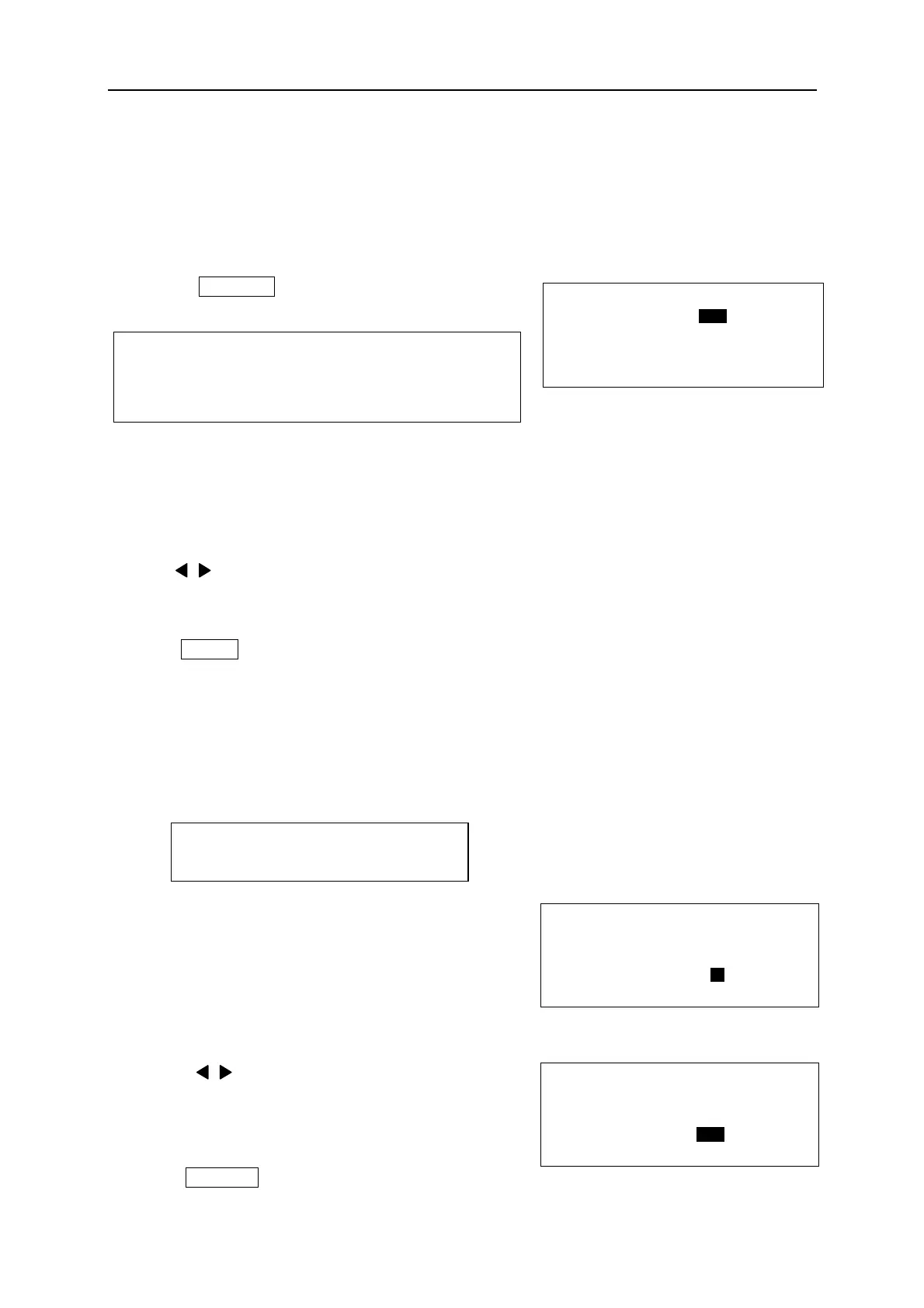
1. Press PRINT . [PRINTING RANGE setting
screen] appears.
(The function of “COPIES”)
LM-390A/PC can print multiple copies of the created document.
If “2” is entered in “COPIES”, the machine prints 2 sets of the same document automatically.
2. Press / key or Ten key to input the desired number as the “COPIES “, “START NO” and the
“END NO.”
3. Press ENTER after inputting the “END NO.” Then [PRINTING LENGTH ALIGNMENT screen]
appears.
7-2 PRINTING LENGTH ALIGNMENT
Adjusting the total printing length.
The total printing length of tubes or tapes can be adjusted.
1. [PRINTING LENGTH ALIGNMENT screen]
appears.
The upper field automatically displays the total
calculated length to be printed.
The lower field displays the value to adjust.
2. Press / key to decrease or increase the
alignment value.
If +8mm is input as the alignment value, 8mm is
added to the total calculated printing length.
3. Press ENTER to start to print.
Setting value: COPIES: 1~30
START NO. = The first block to be printed
END NO. = The last block to be printed.
Setting range: -30 to +30mm
[ P R I N T ]
C O P I E S = 1
S T A R T N O . = 1
E N D N O . = 3
[ P R I N T L E N G T H ]
2 3 0 . 0 m m
A L I G N M E N T =
0 m m
[ P R I N T L E N G T H ]
2 3 0 . 0 m m
A L I G N M E N T =
+ 8 m m


 To Next Page