Fel! Använd fliken Start om du vill tillämpa 見出し 1 för texten som ska visas här.
44
6-11 REGISTRATION OF WORD
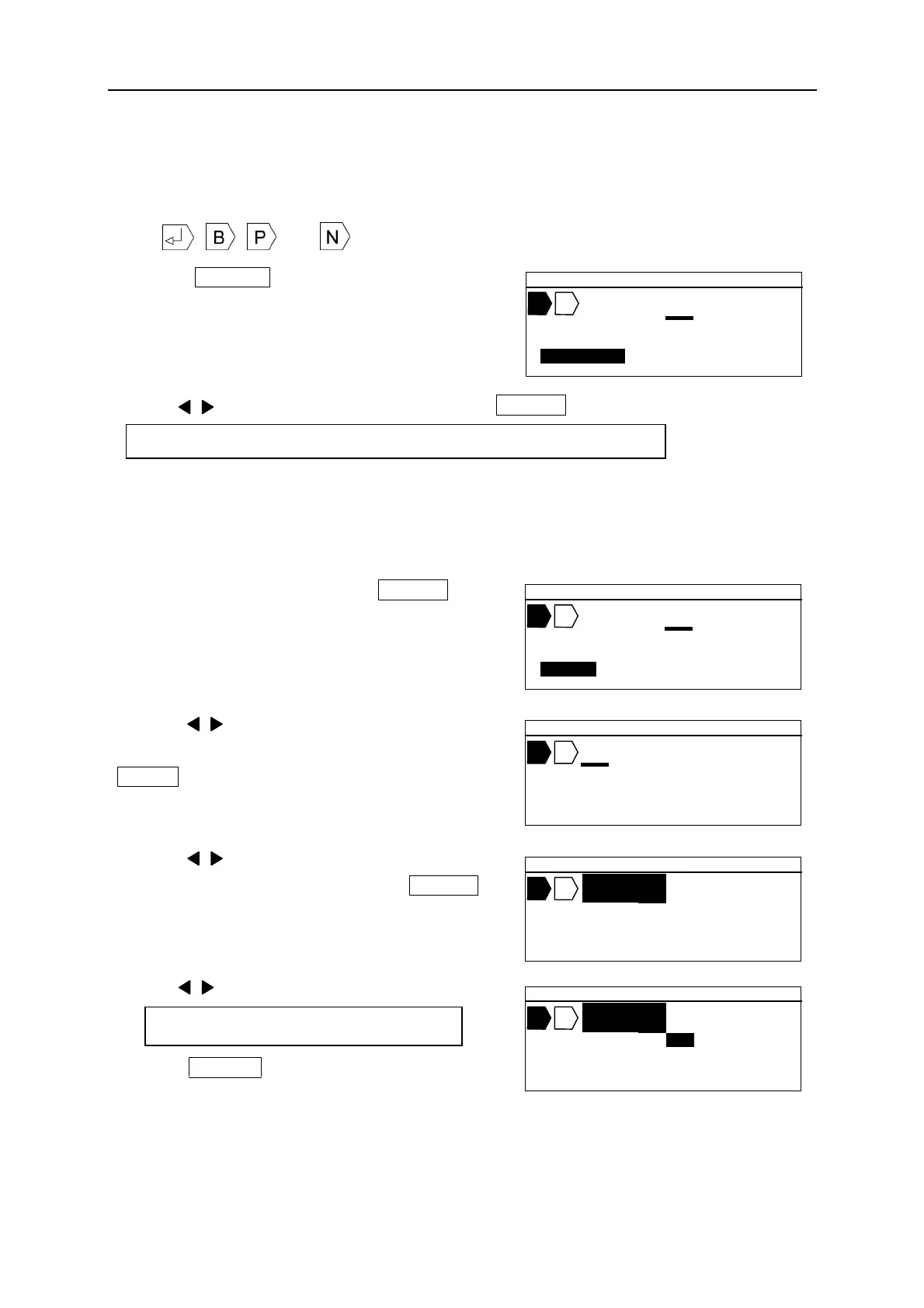
Up to 30 words can be saved in the internal memory. Up to 15 characters can be included
in a word.
Note: , , and cannot be saved.
1. Press WORD . The [MEMORY OF WORD
setting screen] appears.
2. Press / key to select a desired item and press ENTER .
[SAVE]
Saving the “WORD.”
1. Select “SAVE.” And then press ENTER .
The [STARTING POSITION setting screen]
appears.
2. Press / key to move the cursor to the first
character of the word to be saved. And th
ENTER .
The [ENDING POSITION setting screen] appears.
3. Press / key to move the cursor to the last
character of the word. And then press ENTER .
The [FILE NO. setting screen] appears.
4. Press / key or Ten key to input the file No.
5. Press ENTER to register the selected word in
the file.
Setting range: 1~30
Selectable Items: RECALL, SAVE, DELETE, INITI.(INITIALIZE)
▲ 2 0 .0 C U T
M A X
[ M E M O R Y O F W O R D ]
R E C A L L
▲ 2 0 .0 C U T 0 0 1
M A X
[ M E M O R Y O F W O R D ]
S A V E
▲ 2 0 .0 C U T 0 0 1
M A X
S T A R T I N G P O S I T I O N
▲ 2 0 .0 C U T 0 0 1
M A X
E N D I N G P O S I T I O N
▲ 2 0 .0 C U T 0 0 1
M A X
F I L E N O . = 1
- N O W O R D -


 To Next Page