Fel! Använd fliken Start om du vill tillämpa 見出し 1 för texten som ska visas här.
47
6-13-1 PRINTING DENSITY
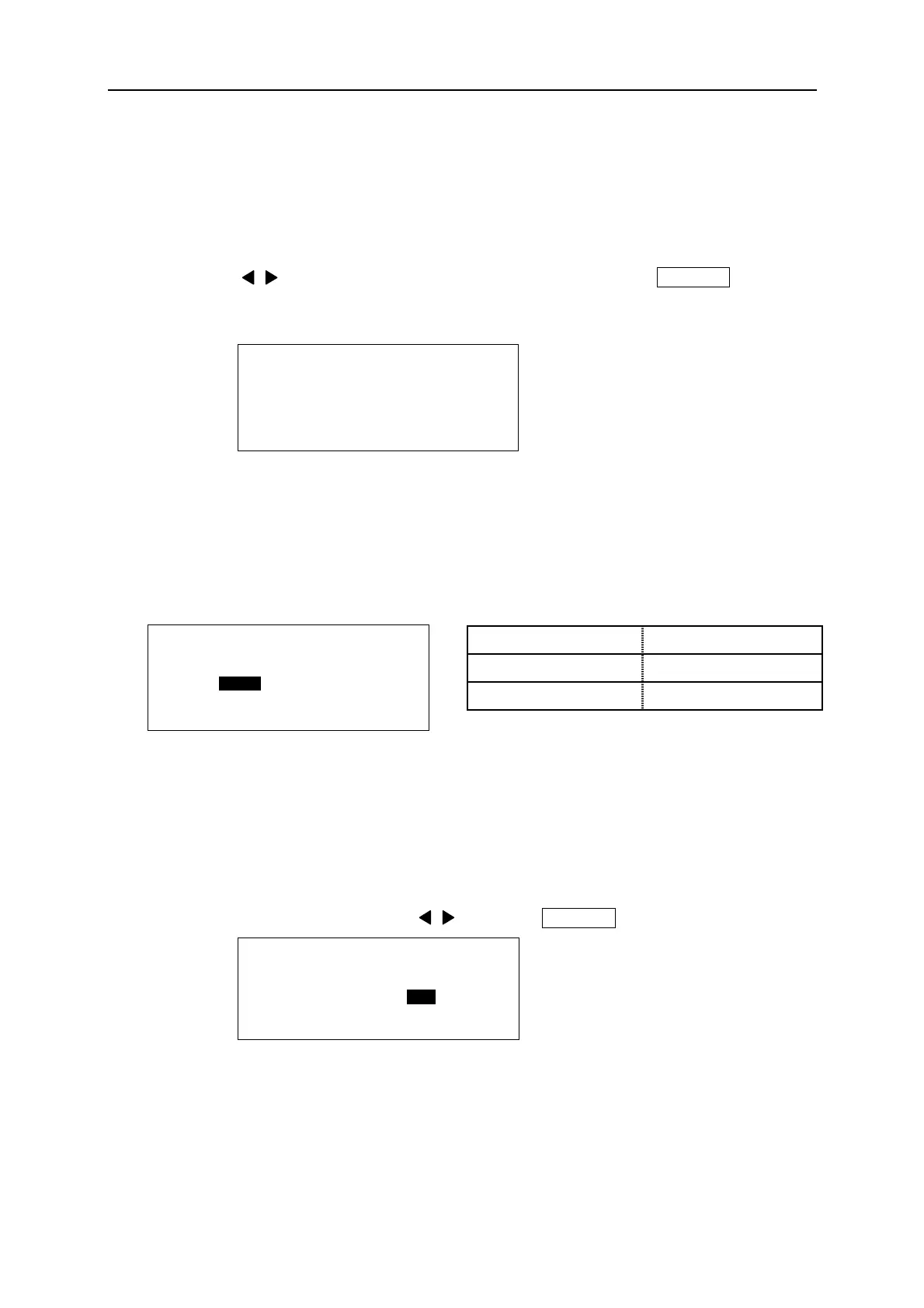
Adjusting the “PRINTING DENSITY.”
When you need to print darker or clearer, adjust it to higher level. When the ink ribbon
adhered to the TUBE or TAPE, adjust it to lower level.
By pressing / key, increase or decrease the density level. Press ENTER to register
the density level.
6-13-2 LOW TEMP. MODE
Under low temperature, the printing result might not as good as under normal temperature.
In such a case, besides adjusting the “PRINTING DENSITY”, the printing result might be
improved slightly by activating “LOW TEMP. MODE”.
Note: When this function activates, printing speed
is changed as the above table.
6-13-3 FEED THE HEAD OF TUBE
Setting the “FEED THE HEAD OF TUBE”.
After selecting the item by pressing / key, press ENTER to register the setting.
Note: ● This function is activated only for printing on tube.
● When “YES” is selected, the head of tube (approx.55mm) is fed without printing before
the first block.
LOW TEMP. MODE PRINTING SPEED
YES About 20mm/s
NO About 35mm/s
[ P R I N T I N G D E N S I T Y ]
■ ■ ■ ■ ■ ■ ■ ■ □ □ □ □ □ □ □ □
< L O W H I G H >
[ L O W T E M P . M O D E ]
Y E S N O
[ F E E D T H E H E A D
O F T U B E ]
Y E S N O


 To Next Page