Fel! Använd fliken Start om du vill tillämpa 見出し 1 för texten som ska visas här.
20
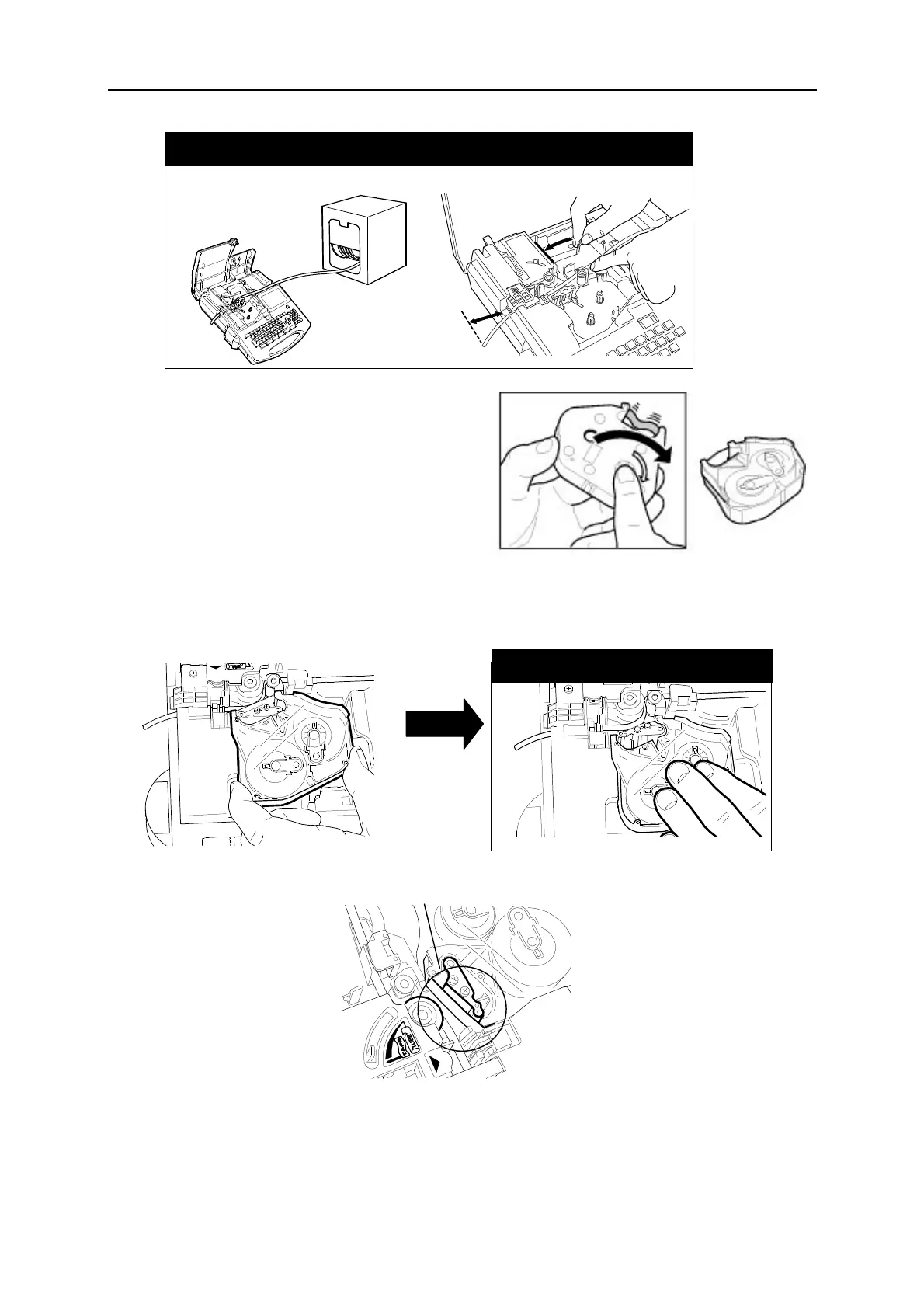
The tube has been loaded.
Make sure the tube is loaded as illustrated bellow.
6. Make sure the ribbon is not slack.
If the ribbon is slack, rotate the winding
core (black) toward the direction of the
arrow to remove the slack of the ribbon.
7. Hold the ink ribbon case as illustrated below and load it completely.
Check the slack.


 To Next Page