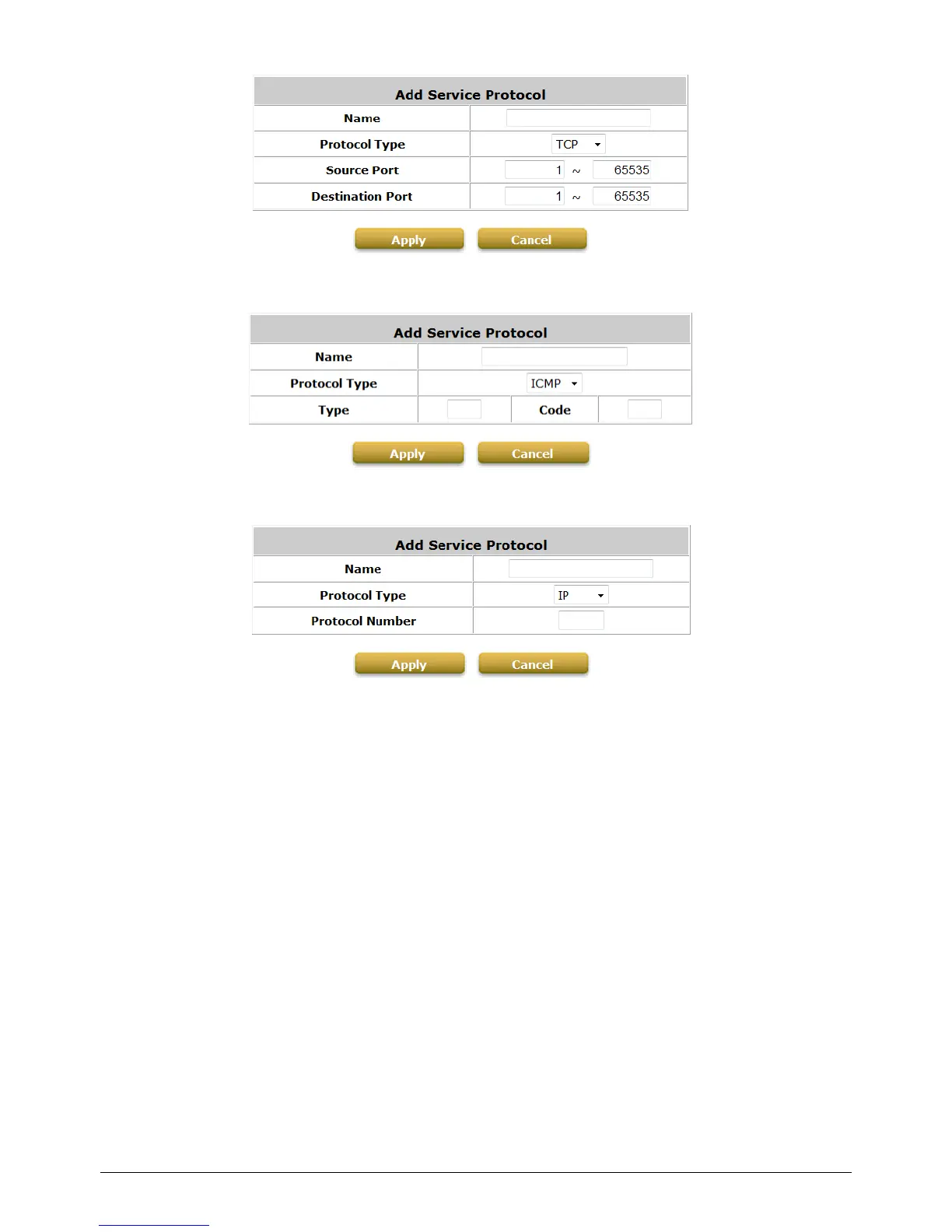
If the Protocol Type is ICMP, it will need to define Type and Code.
If the Protocol Type is IP, it will need to define Protocol Number.
2) Firewall Rules
After the custom protocol is defined or just use the Predefined Service Protocols, you will need to
enable the Firewall Rule to apply these protocols.
o Firewall Rules: Click the number of filter Rule No. to edit individual rules and click Apply
to save the settings. The rule status will show on the list. Check “Active” checkbox and
click Apply to enable that rule.
Rule No.1 has the highest priority; Rule No.2 has the second priority and so on. Each
firewall rule is defined by Source, Destination and Pass/Block action. Optionally, a Firewall
Rule Schedule can be set to specify when the firewall rule is enforced. It can be set to
Always, Recurring or One Time.



 To Next Page