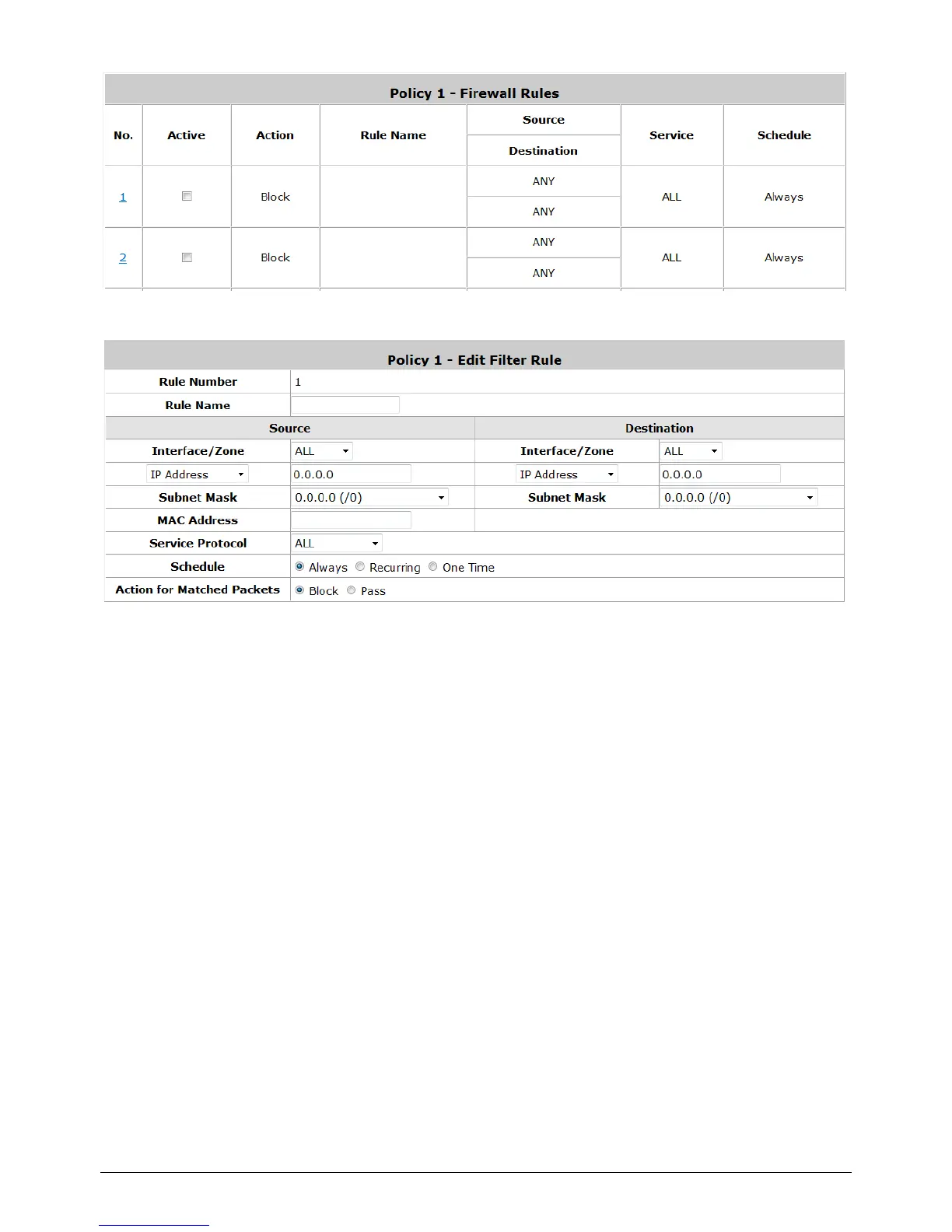
Selecting the Filter Rule Number 1 as an example:
o Rule Number: This is the rule selected “1”. Rule No. 1 has the highest priority; rule No.
2 has the second priority, and so on.
o Rule Name: The rule name can be changed here.
o Source/Destination – Interface/Zone: There are choices of ALL, WAN, Public
and Private to be applied for the traffic interface.
o Source/Destination – IP Address/Domain Name: Enter the source and
destination IP addresses. Domain Name filtering is supported but Domain Host
filtering is not.
o Source/Destination – Subnet Mask: Select the source and destination subnet
masks.
o Source- MAC Address: The MAC Address of the source IP address. This is for specific
MAC address filter.
o Service Protocol: These are defined protocols in the service protocols list to be
selected.
o Schedule: When schedule is selected, clients assigned with this policy are applied the
firewall rule only within the time checked. There are three options, Always,
Recurring and One Time. Recurring is set with the hours within a week.
o Action for Matched Packets: There are two options, Block and Pass. Block is to
prevent packets from passing and Pass is to permit packets passing.



 To Next Page