Trackit Mk3 User Manual
19
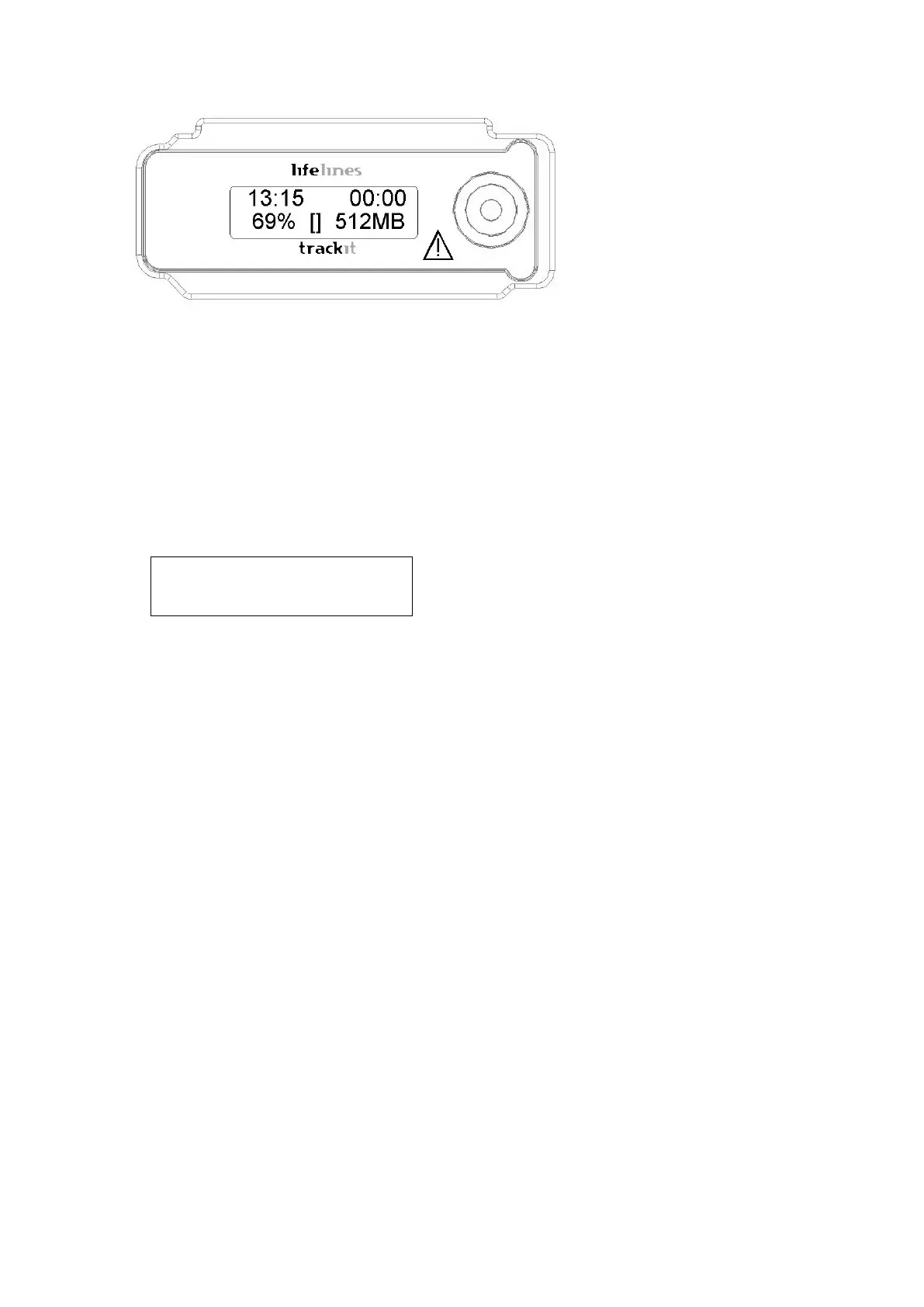
Figur e 3 Tr a ck it Mk 3 r e cor de r: fr ont pa ne l
Aft er several seconds the LCD display indicat es t hat Trackit Mk3 is perform ing a self- t est for sys-
tem int egrity. On com pletion of t he self- test t he LCD indicat es the status of t he Trackit Mk3 re-
corder.
Indicators
The following indicators are available depending on Trackit Mk3 stat us:
Û~11:49 Û~00:00
Û~71 %âÛ Û~2049M
Figur e 4 The Tr a ck it Mk 3 display
Key:
1 Tim e of day
2 Recording t im e
3 Batt ery capacit y rem aining
4 I nt ernal Bluet oot h on/ off
5 Rear door open warning
6 CF Card capacit y rem aining
Tim e of day
The bat t ery- backed, real tim e clock which is synchronized
to t he host during set up.
Recording t im e of this recording
I f not recording, ‘00: 00’ is displayed.
Disk capacit y Rem aining stor age capacity in MB. I f there is no card pre-
Bat t ery capacit y Approxim at e battery capacity rem aining ( as % of full bat -
Rear - door open warning sym bol
Flashes when the rear bat t ery door is open.
Warning of low bat t ery or rear- door open.
3. 4 Warning symbols on t he display
Low card capacit y Sym bol L accom panied by beeping every 30 seconds.
Tim ed or sam pled recordings are indicat ed by t he sym bol
S.
The sym bol R next t o card capacit y.
I nternal Bluetoot h on/ off When the I nt ernal Bluet oot h opt ion is fit t ed to t he Trackit
Mk3, t he unit will display whet her it is enabled or disabled
with a large ‘B’ (enabled) or small ‘β’ (disabled) next to
the ‘% ’ indication. To t oggle t he current select ion t he
pushbut ton is pressed 5 t im es wit hin 3 seconds. The dis-
play will change t o indicate t he new stat e.
Refer t o Appendix 5 for furt her inform ation on Bluet oot h.



 To Next Page