Trackit Mk3 User Manual
53
Appendix 4: Record to PC and Synchronised Video
1 Record to PC
This facilit y enables EEG dat a from t he Trackit Mk3 t o be recorded directly t o the PC. Headbox
m ode m ust be enabled in Advanced Operations in the Trackit Control Panel.
1. Connect t o t he Trackit Mk3 and set up in t he norm al way. Connection can be eit her USB, or
Bluetoot h.
2. Click the Record t o PC butt on
3. Specify a storage locat ion on the PC for t he EEG dat a file.
4. Enable, if desired, ‘Trackit auto- record when host com m s lost ’. The Trackit Mk3 will aut om at -
ically com m ence recording to its own CF card when t he com m unication link is lost . This can
be particularly useful when a Bluetoot h link is being used.
2 Network Connection
There follows an explanation of how to rem otely connect to t he Tr ackit Mk3 and acquire data over
a TCP net wor k.
Over vie w
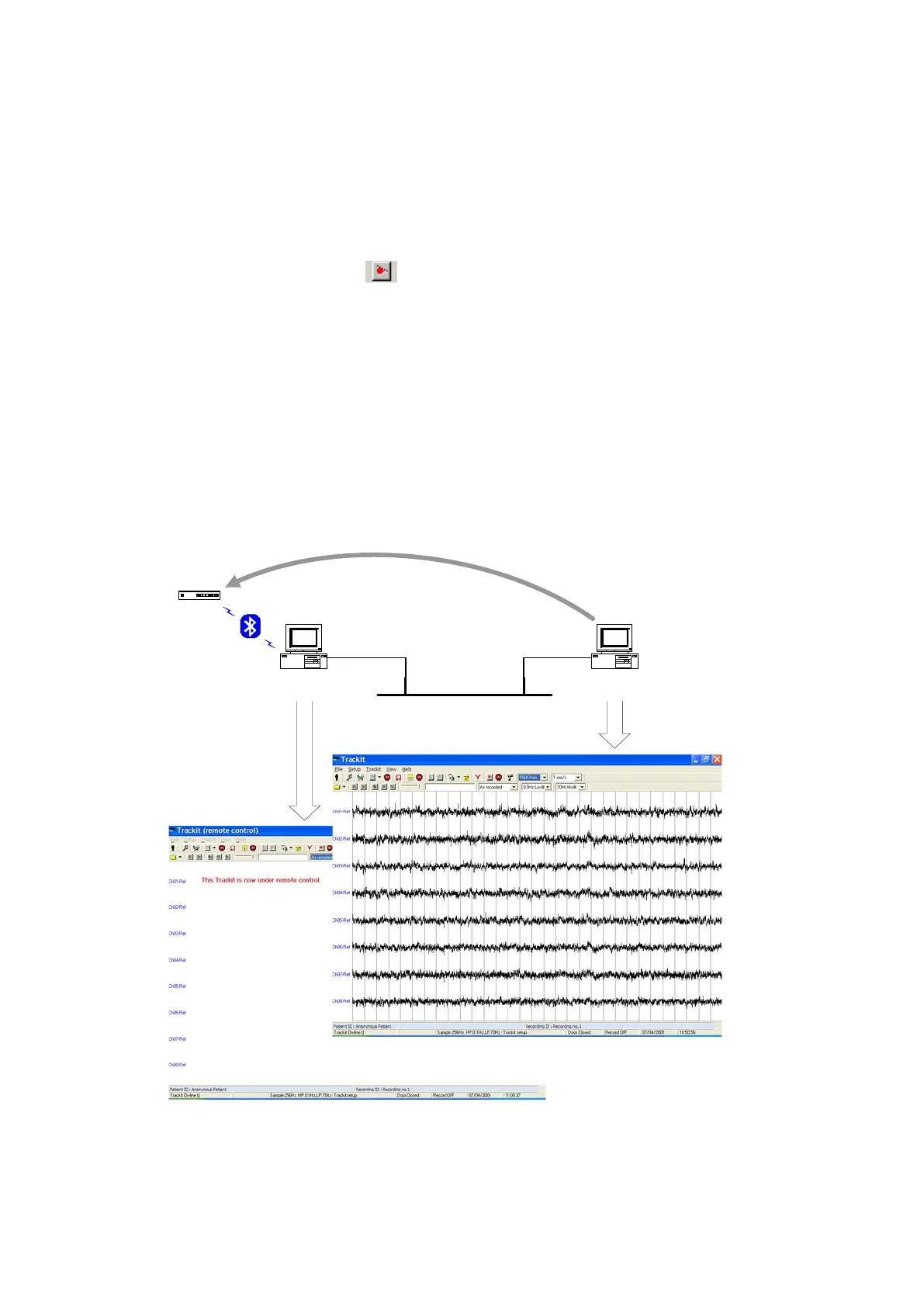
The diagram below shows how the syst em works. The Trackit application runs on the server PC
which is connect ed via serial or Bluetooth to a Trackit Mk3 device. A rem ote client PC which is also
running t he Trackit application opens a TCP connection to t he server which enables the client to
take over control of t he Trackit Mk3.
Trackit
Ethernet
Trackit software
running as client
Trackit software
running as server
Remote control
The server PC can be located locally t o t he patient , in t he bedroom for exam ple, and a wireless
Bluetoot h link configured t o provide unt et hered comm unicat ion with the Trackit . After any init ial
set t ing up on t he server, local control can be relinquished and subsequent ly acquired by a client
anywhere on t he net work. I n this scenario t he server com puter could be one of the m iniat ure PC



 To Next Page