Trackit Mk3 User Manual
31
N ot ch f ilter: t o set a not ch filt er, use Other Options from the View Menu. Notch filt ers are either
50Hz or 60Hz depending on where t he syst em is t o be used ( USA 60Hz; Europe 50Hz).
To act ivat e the not ch filt er, click on t he Not ch Filt er icon in t he Trackit toolbar.
Tra ck it ev e nt s: to view all recorded event s online, click on t he Get Trackit Events icon
in the Trackit t oolbar.
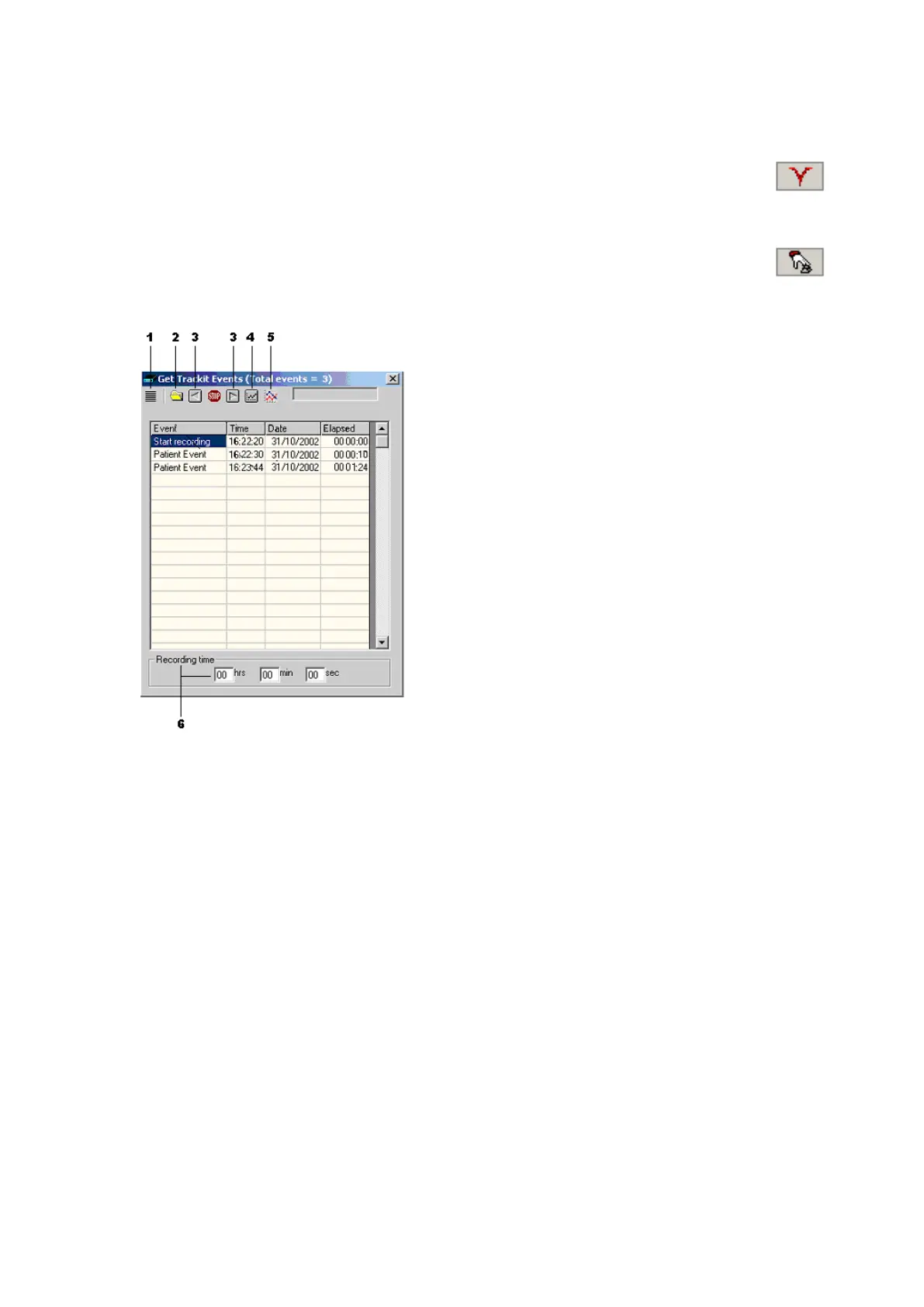
Event s are displayed in t he online event viewer wit h a description and t im e.
Key:
1 Opens the list of event t ypes
2 Opens an event file for an older re-
cording
3 Navigat e forwards or backwards
4 Selects t he best t race resolut ion
5 Select s t he m ax. num ber of traces
6 Ent er a ‘Go t o’ t im e here
Figur e 2 1 The online e ve nt view er
The event list allows t he user not only to see when events t ook place, but t o also view the data be-
hind t hose event s.
To display a page of EEG around an event of int erest, double click on t he event in the list. The
speed with which t he dat a is displayed depends on whet her t he Maxim um Num ber of Traces and
Best Trace Resolut ion icons are selected. I f no butt ons are select ed, the displayed t races are the
sam e as in the live trace display. I f both but tons are selected t hen t he m axim um num ber of re-
cording channels wit h best t race resolut ion will be displayed.
To navigat e forwards or backwards, press t he forwar d or backward ar row but t ons. Or you can go t o
a part icular tim e in t he recording by ent ering t he tim e ( as hrs, m in, sec) in the recording t im e
fields. See Figure 21 above.
You can replay EEG live from t he event list while a recording is t aking place or offline by opening
an event file from a previous recording.
4. 3 Montage Editor
This is available via t he Setup | Montage m enu on the m ain screen, and displays t he Montage Edi-
tor as shown in Figure 22 below.
The Mont age Edit or allows t he sett ing-up of 16 user m ontages and the As- recorded m ont age. Not e
that the As- recorded m ontage can only have it s channel on/ off and channel m ast er/ special cont rol



 To Next Page