Trackit Mk3 User Manual
32
edited (and if special, t he channel sensitivity and filters). All t he other 16 user m ontages are fully
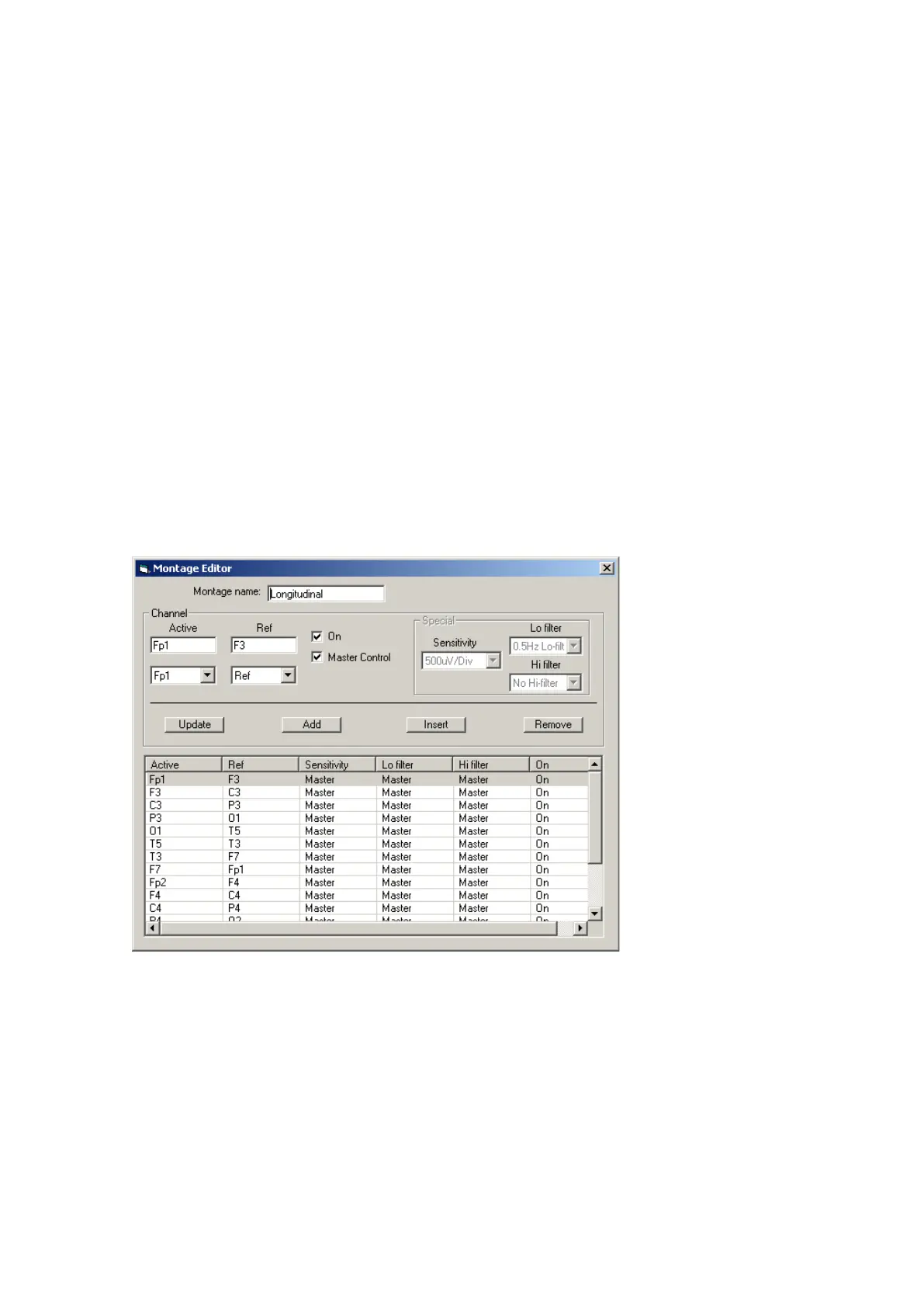
definable and can have t he following param et ers set for each channel:
1. Active channel nam e. This is eit her chosen from t he drop- down list representing t he current Sig-
nal Library signals, or t yped in directly.
2. Ref. channel nam e. This is either chosen from t he drop- down list representing the current Signal
Library signals, plus Ref and Gnd, or t yped in directly.
3. Channel On or Off. I f off, t he channel label is greyed- out and no trace is displayed.
4. Mast er or Special Cont rol. I f Special, t hen t he Sensit ivity, Low Filt er and High Filter can be set .
Addit ional controls are provided t o allow:
5. Updat e. Copies t he current set tings into t he currently selected channel.
6. Add. This adds a channel to t he end of t he Mont age list.
7. I nsert. This insert a channel above t he currently select ed channel.
8. Rem ove. This rem oves t he currently selected channel.
9. Mont age nam e.
I f anyt hing is changed, an opt ion is present ed t o save all changes t o disk or not . I f not saved,
changes are only tem porary.
Note t hat som e of t he m ont age param eters can be changed outside t he Montage Edit or, by clicking
on a channel label t o bring up the Channel I nform at ion window. These changes are only tem porary
(alt hough you can save them lat er by subsequently going int o t he Montage Editor) .
Figur e 2 2 M ont a ge Edit or



 To Next Page