Trackit Mk3 User Manual
63
• Connect wirelessly as a second user ( a Guest ) and review Trackit st at us and also m onitor Ongo-
ing traces, I m p.Check, Events et c.
• Mark an event over the wireless link
• Opt ionally configure t he Trackit t o autom atically record locally whenever t he wireless link is lost
• Connect wirelessly and directly to several Trackit s sim ult aneously from the sam e PC. These
Trackit s are also sim ultaneously available for Guest connect ions
Con nect ion a nd u se
The Trackit Set up and Trackit Wizard program s have been enhanced t o provide t ransparent Blue-
toot h support . All t he funct ionalit y of the program s is available over a direct connection or a Blue-
toot h connection. Not e that t he Trackit should be fitted wit h V2.10.x or lat er firm ware.
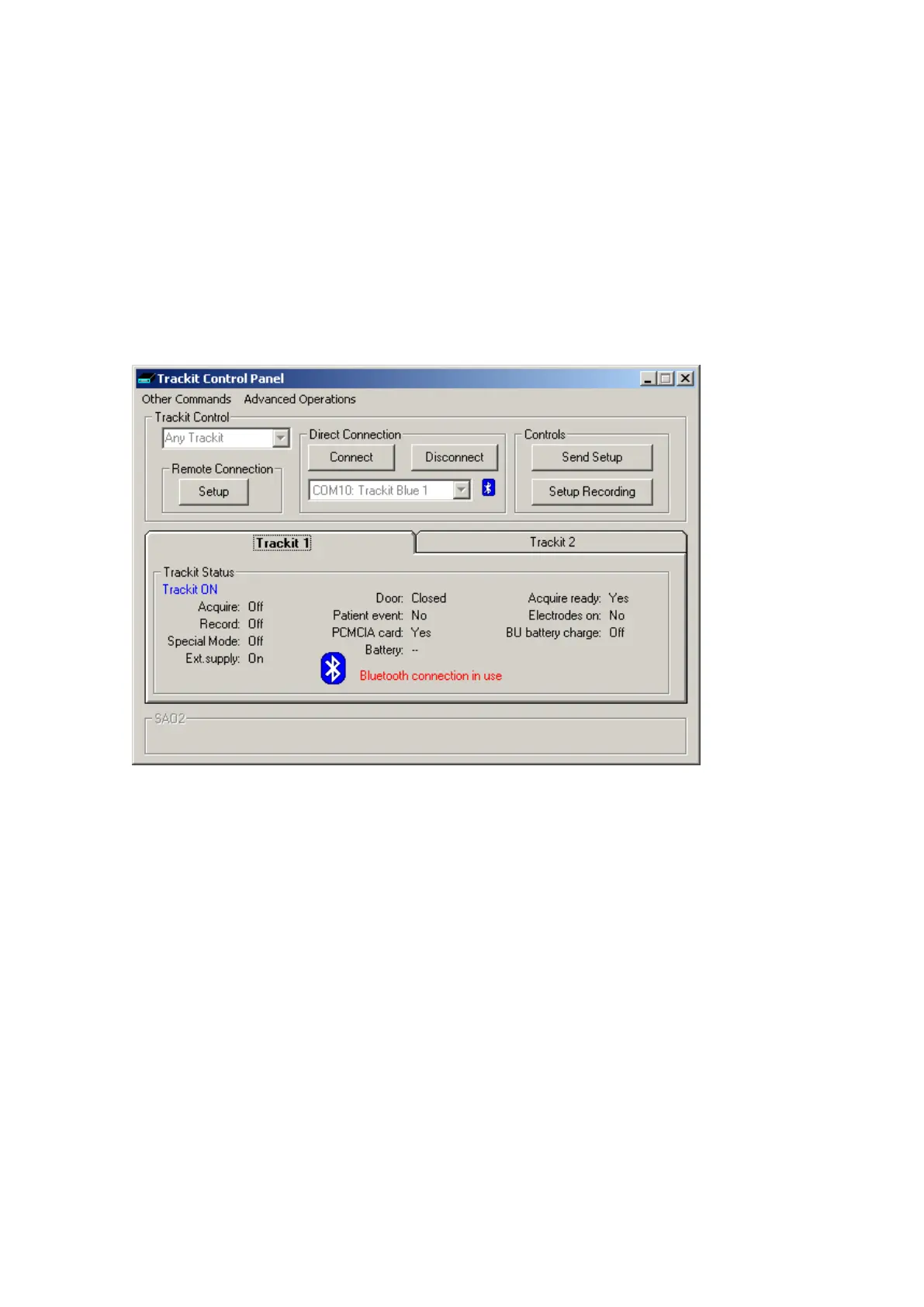
Figure 47 below shows the new Trackit Control Panel with t he addit ional Bluet oot h feat ures.
Figur e 4 7 The Tra ckit Cont r ol Pa ne l
The Port num ber selection drop-down list now support s a short description of the port . This can be
a direct hardware port (e.g. Com 1) or any of t he virt ual serial port s provided by Bluetoot h ( e.g.
Com 10). These Bluet ooth ports are set up within the Bluetoot h applicat ion running on t he PC. The
connection is first est ablished wit h the Trackit via a search, a Com m . port num ber is assigned and
various encryption and pairing opt ions defined. The Trackit is always t he server and provides the
serial port connect ion service to t he PC act ing as a client. Thereaft er, t he part icular Trackit can be
connected t o by reference to its Com m . port num ber only – opening the port from the Trackit ap-
plicat ion autom atically opens and est ablishes the Bluetooth link.
Figure 48 below shows a t ypical My Bluet ooth Places view from the application on t he PC and
shows t wo available Trackit Bluetooth connections. For addit ional inform ation about set ting up con-
nections, refer t o your application docum ent ation.



 To Next Page