Camera & Photos
MORE
PANO
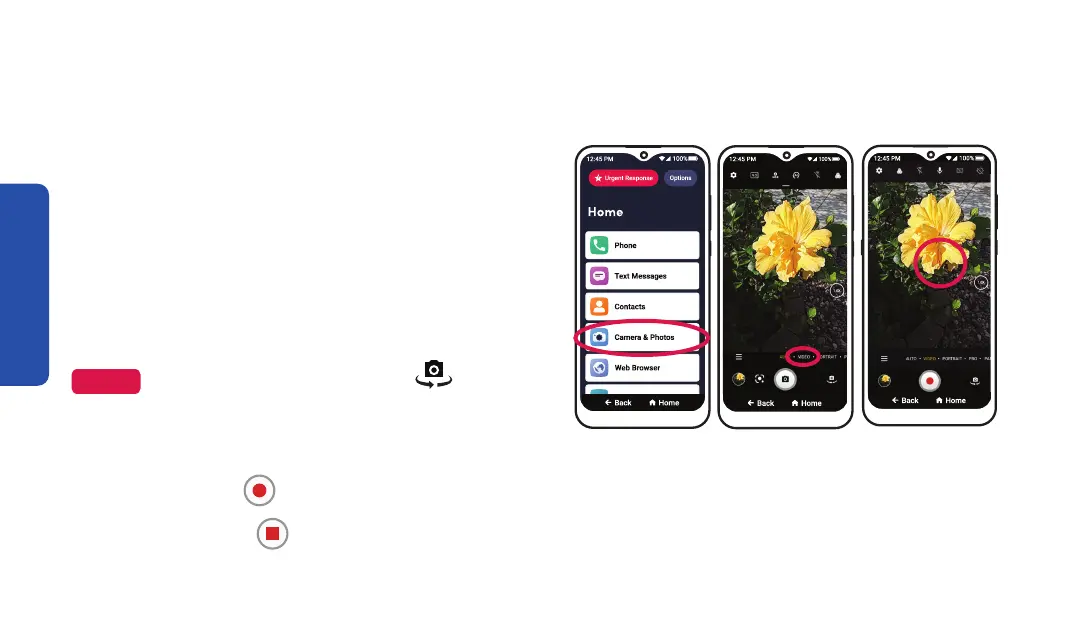
Recording a Video
Step 1 Step 3
Step 5
1. On the Home screen, TAP Camera & Photos.
2. TAP Camera.
3. TAP VIDEO near the Shutter button.
The Shutter button will turn red.
4. Aim the back of your phone towards
your subject.
NOTE
To switch to the front camera, TAP
switch camera.
5. TAP where you would like to focus.
6. TAP the circle Shutter button to start recording.
7. TAP the square Shutter button again to stop recording.
96



 To Next Page