Email / Internet / Apps
103
Creating an Email Account
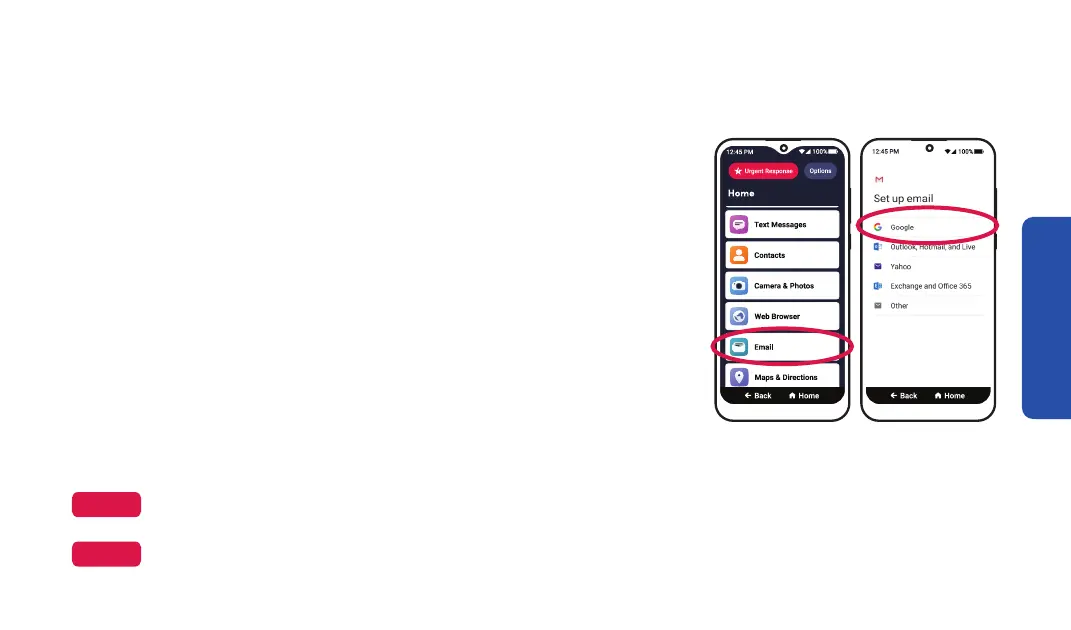
If you don’t have an email, we recommend creating a Google
(Gmail) account. A Google account will also allow you to
download new apps on your smartphone. To create a Google
email account:
1. On the Home screen, TAP Email.
2. TAP Add an email address.
3. TAP Google from the list.
4. TAP Create account, then TAP For myself from the pop-up.
5. Follow the on-screen prompts to create your email account.
NOTE
Your setup steps may vary. Follow the on-screen instructions to set up your account.
Step 1 Step 3
NOTE
Write down your email and password under "My Important Information" on the inside front cover for future
reference.



 To Next Page