EasyManua.ls Logo

Lively Jitterbug Smart4 - Sending a Text

Lively Jitterbug Smart4
154 pages
Print Icon
To Next Page IconTo Next Page
To Previous Page IconTo Previous Page
Loading...
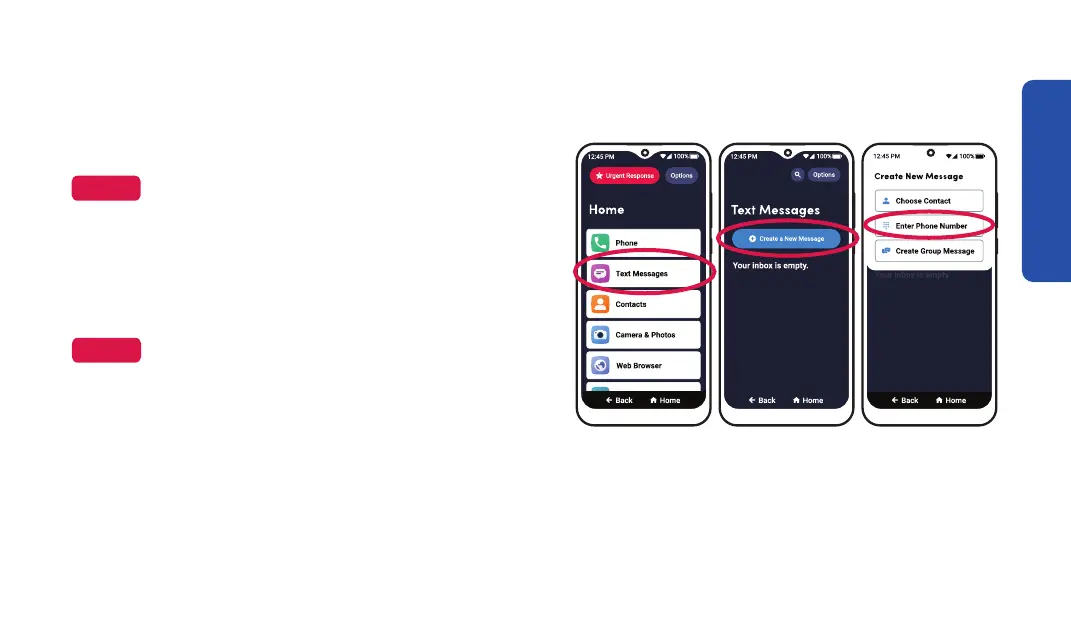
Sending a Text
Step 1 Step 2 Step 3
1. On the Home screen, TAP Text Messages.
NOTE
You may need to allow access to various settings

2. TAP Create a New Message.
3. TAP Enter Phone Number.
NOTE


page 81.
Learning the Basics
45

Table of Contents

Related product manuals