Using Real Time Text (RTT)
RTT transmits each character as it is typed while you're on a call,
making it easy for callers with hearing or speech impairments to
have a conversation with text.
Before using RTT, you must turn on the feature:
1. On the Home screen, TAP Settings.
2. TAP Advanced Settings, then TAP Accessibility.
3. TAP Call Accessibility, then TAP Real Time Text.
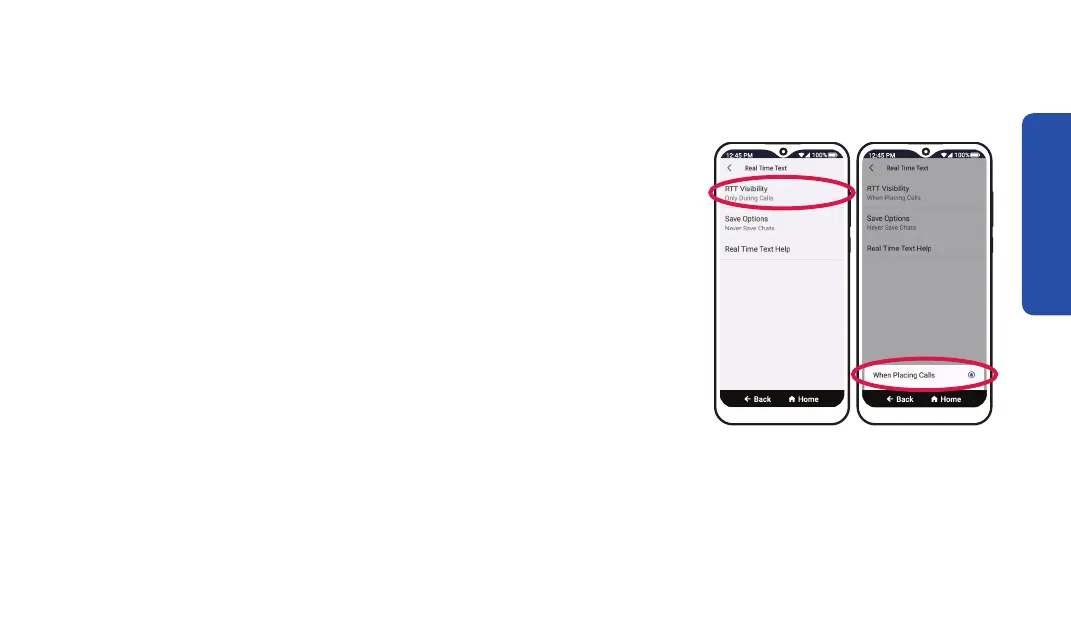
4. TAP RTT Visibility, then TAP When Placing Calls.
Phone Calls
Step 4 Step 4
77



 To Next Page