Changing Settings
118
Customizing Your Home Screen Applications
You can customize your smartphone to put the
apps you use most on your Home screen for easy
access.
You can add, remove or change the order of apps
on your Home screen.
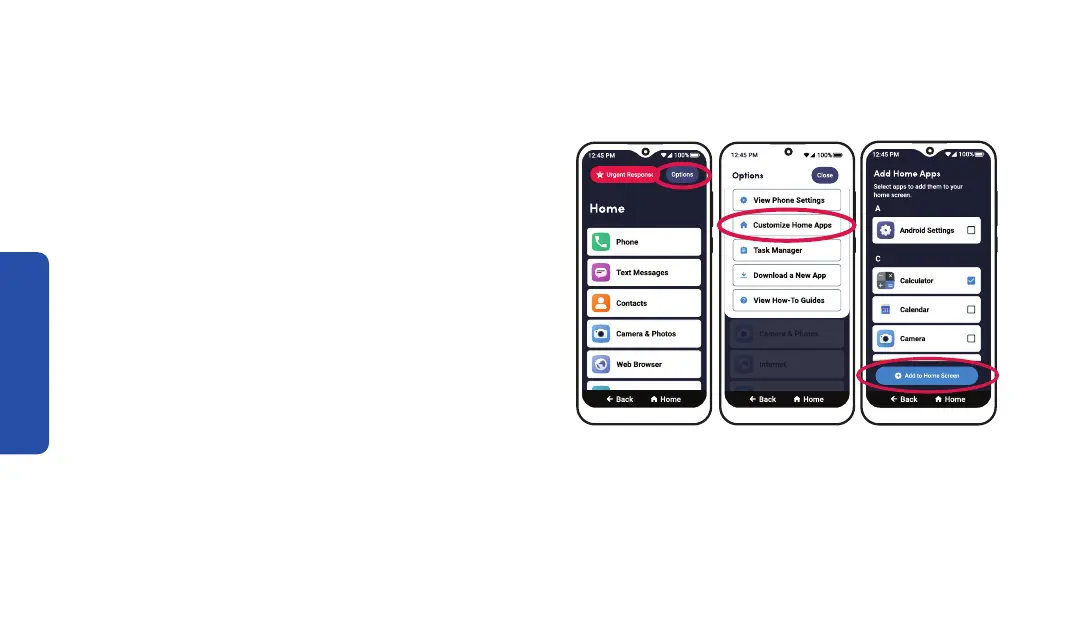
To add an app to your Home screen:
1. On the Home screen, TAP Options in the top
right corner.
2. TAP Customize Home Apps.
3. TAP Add apps to the Home screen.
4. DRAG to scroll down and TAP the apps you want to add to the Home screen.
5. TAP Add to Home Screen.
Step 1 Step 2 Step 4 & 5



 To Next Page