Voice Typing
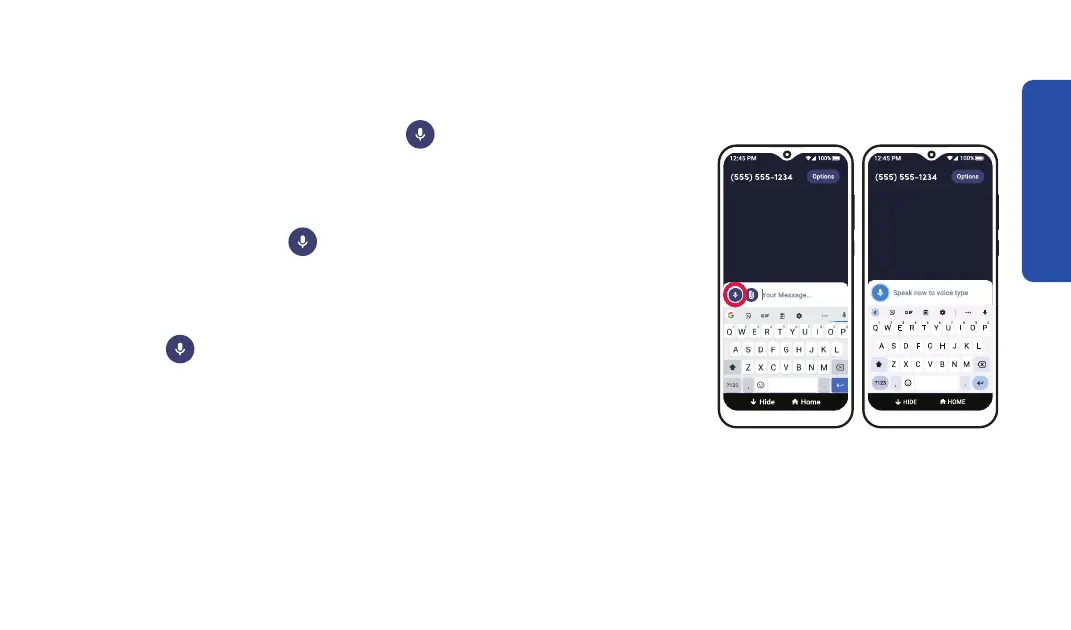
Step 1 Step 2
1. When using the keyboard, TAP Voice Typing.
2. Speak your message when "Speak now to voice type"
appears on the screen. The words are shown in the
message box. TAP
Voice Typing again to stop the Voice
Typing function.
3. If needed, edit your message using the keyboard or by
using
Voice Typing again.
Learning the Basics
49



 To Next Page