Sending a Group Text Message
1. On the Home screen, TAP Text Messages.
2. TAP Create a New Message.
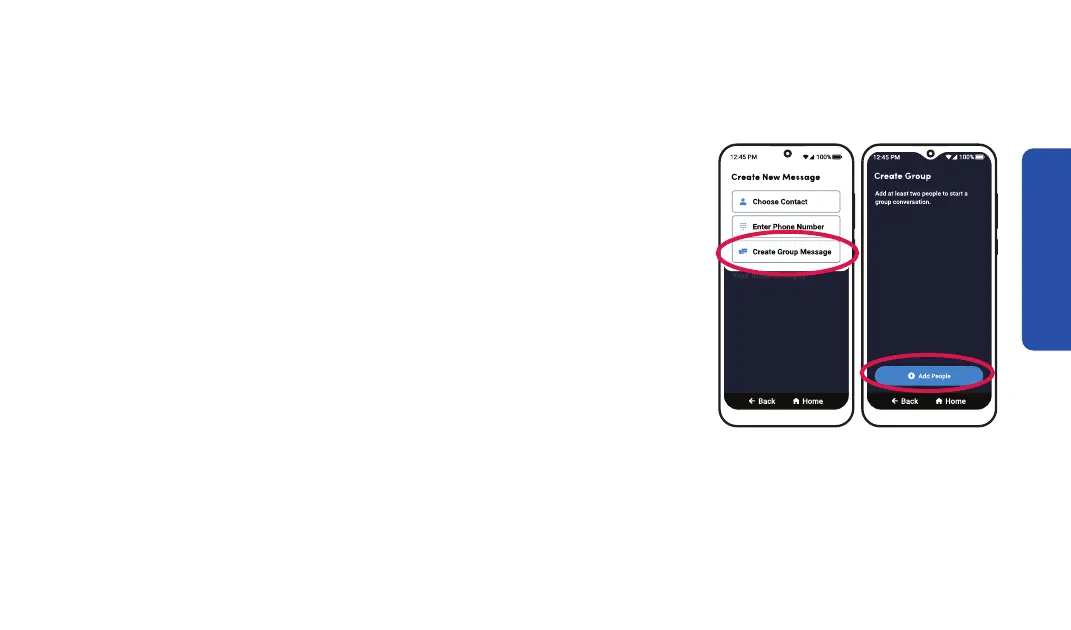
3. TAP Create Group Message.
4. TAP Add People, then TAP either Choose Contact or
Enter Phone Number.
5. Select the recipient from Contacts or enter the phone
number, then T
AP Add to Group.
Text Messages
Step 3 Step 4
83



 To Next Page