Text Messages
Sending a Group Text Message (continued)
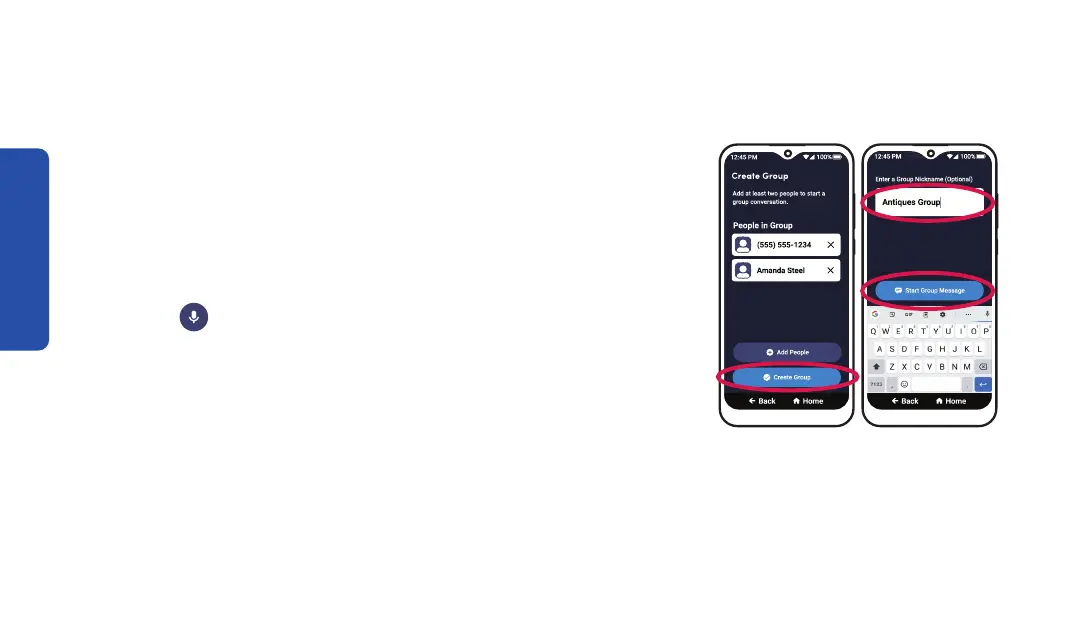
Step 6 Step 7
6. Repeat steps 4 and 5 until everyone is added to the text
message, then TAP Create Group.
7. Enter a group nickname (optional), then TAP
Start Group Message.
8. Compose your message using the On-Screen Keyboard
or with
Voice Typing.
9. TAP Send.
84



 To Next Page