Learning the Basics
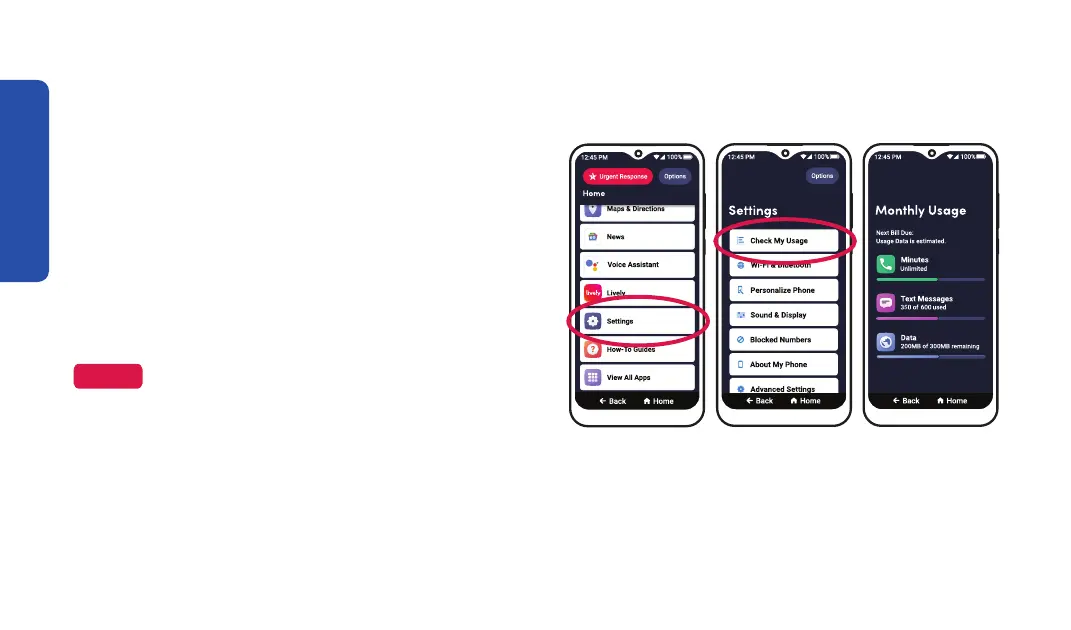
Checking Talk, Text and Data Usage
Step 1 Step 2
To avoid overage fees, periodically check your
data usage:
1. On the Home screen, DRAG to scroll down,
then TAP Settings.
2. TAP Check My Usage. It may take a few
minutes to gather your data.
NOTE
With no long-term contracts or cancellation fees,
you can switch your plan at any time.
September 23, 2023
56



 To Next Page