Email / Internet / Apps
102
Signing in to Your Email Account
If you already have an email account, use the Email app to read
and send emails. To sign in to the account:
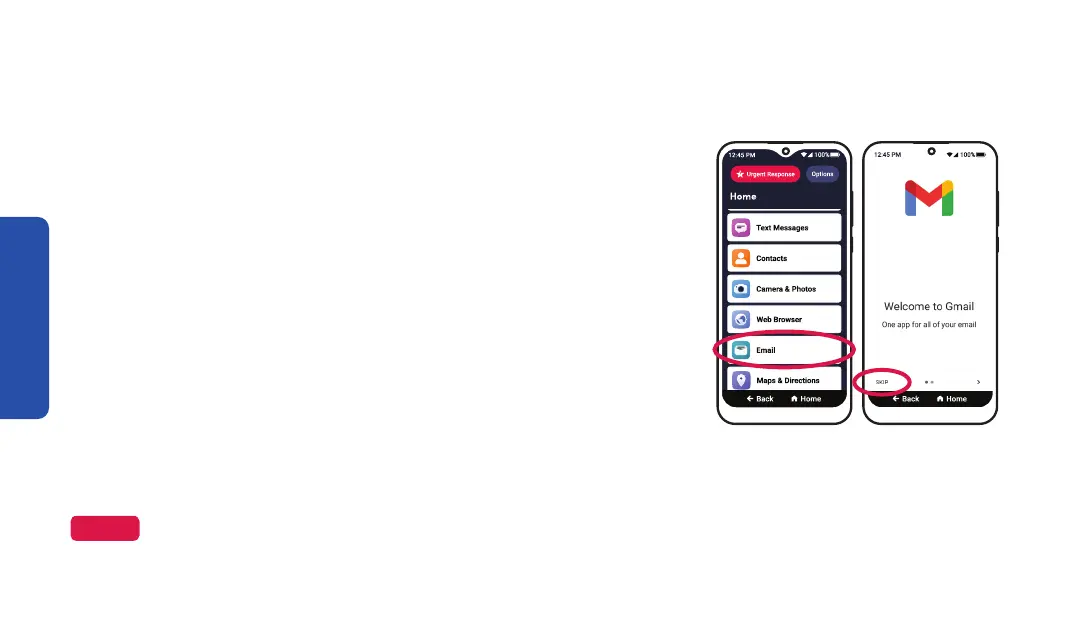
1. On the Home screen, TAP Email.
2. TAP SKIP.
3. TAP Add an email address.
4. TAP your email provider from the list.
5. Enter your email address and TAP Next.
6. Enter your password and TAP Next or Sign in.
7. Follow the on-screen prompts to finish signing in to your email account.
Step 1 Step 2
NOTE
Your account sign-in may vary depending on your email provider. Follow the on-screen instructions to sign in
to your account.



 To Next Page