Blocking and Unblocking Phone Numbers
You can block a phone number if you want to stop receiving
calls or texts from it.
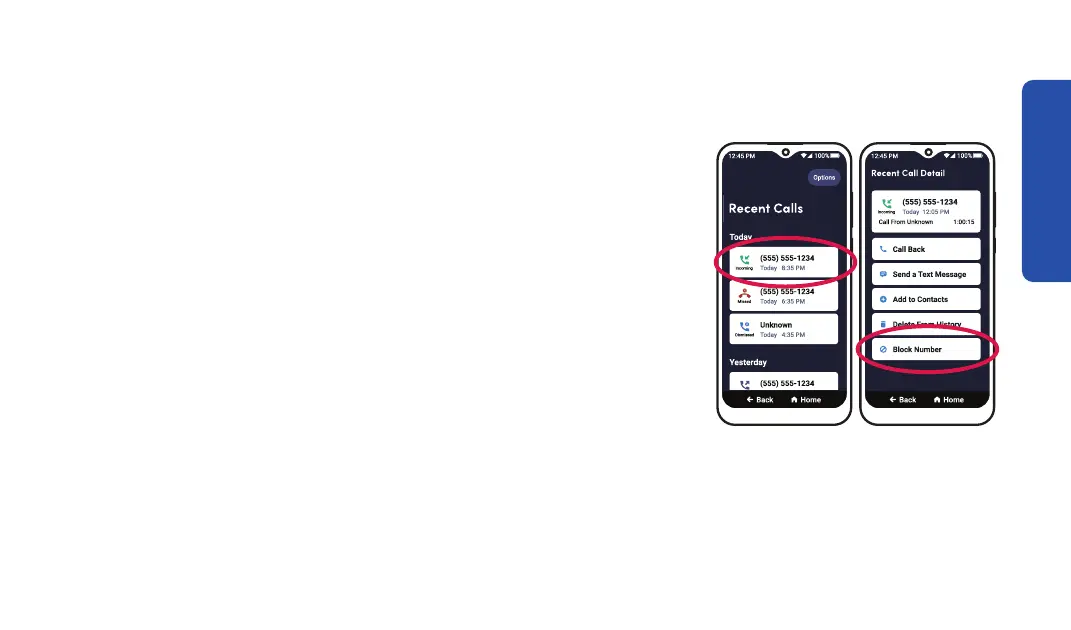
To block a phone number:
1. On the Home screen, TAP Phone.
2. TAP Recent Calls.
3. TAP the number you want to block.
4. TAP Block Number, then TAP Block
Learning the Basics
Step 3 Step 4
47



 To Next Page