Email / Internet / Apps
106
Sending an Email with a Photo or Video
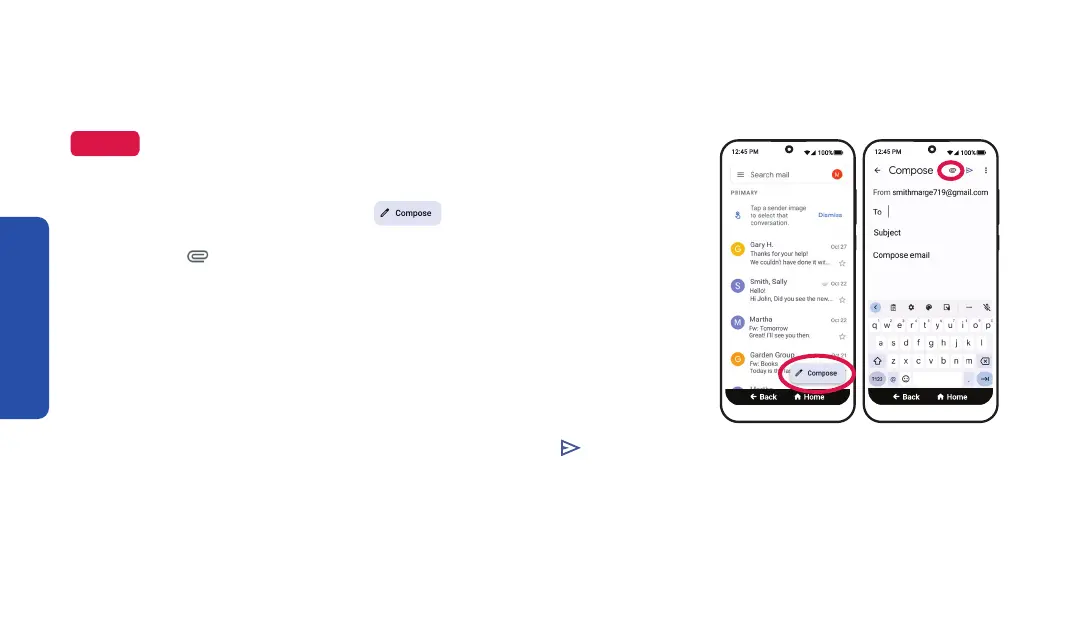
1. From your Email inbox, TAP Compose.
2. TAP the attachment button at the top right of
the scr
een.
3. TAP Attach file.
4. Choose the photos or videos you would like to attach to
your email message.
5. Enter in the recipient's email address, then TAP
send at
the top right of the screen to send your email message
with attachments.
NOTE
These instructions are for Google (Gmail)
accounts. Your steps may vary if you use a different email provider.
Step 1 Step 2



 To Next Page