Email / Internet / Apps
108
Browsing the Internet (continued)
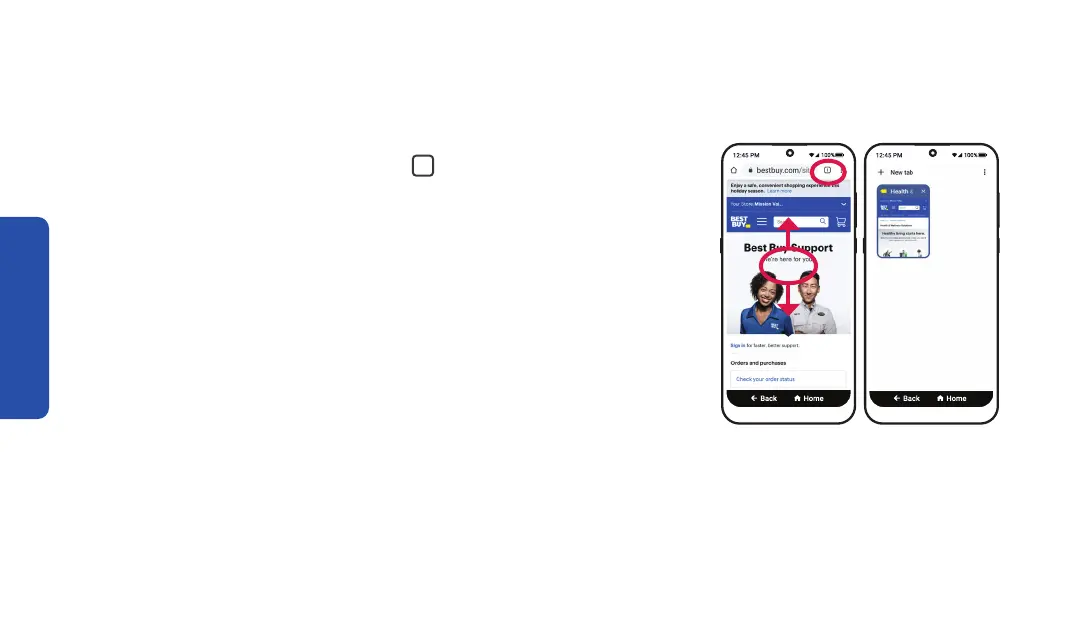
• Open a new tab – Tabs let you have multiple web pages
open at the same time. TAP the
1
box icon at the top right
to view your web pages. Select a different tab or TAP
+ New tab to open a new tab.
• Go back – TAP BACK to go back to the previous web page.
• Scroll – DRAG your finger up or down to view the web page.
• Tap – TAP a link on a web page to navigate to the next page.
Open new tab New tab



 To Next Page