EasyManua.ls Logo

Lively Jitterbug Smart4 - Page 35

Lively Jitterbug Smart4
154 pages
Print Icon
To Next Page IconTo Next Page
To Previous Page IconTo Previous Page
Loading...
Setting up Voicemail (continued)
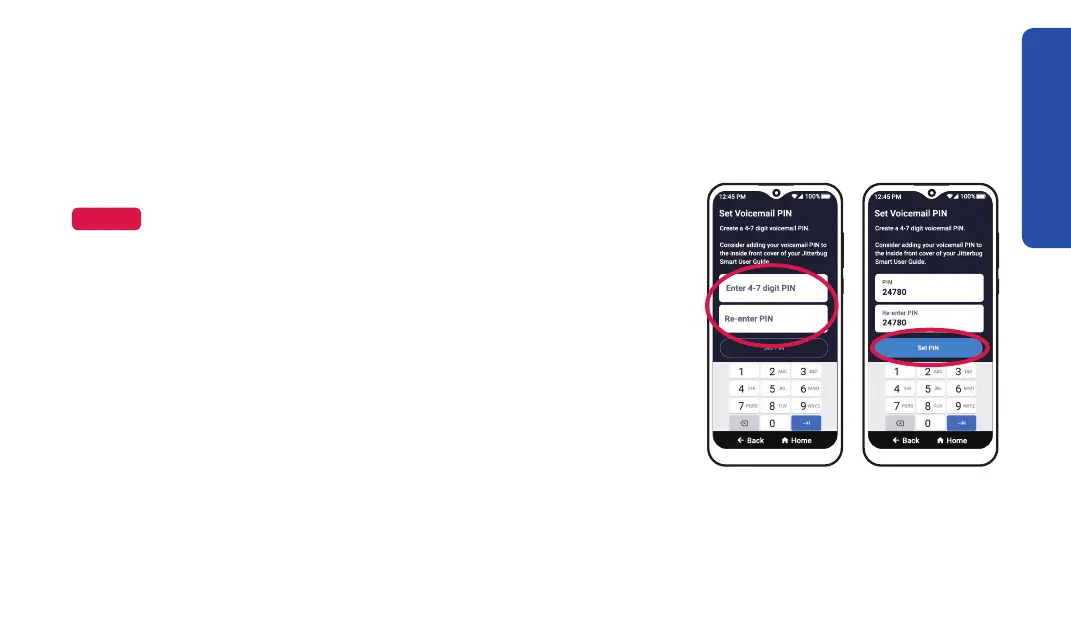
2. Enter a voicemail PIN that is 4–7 digits long, then
re-enter it again.
Step 2 Step 3
NOTE




3. TAP Set PIN.
4. TAP Close.
Getting Started
27

Table of Contents

Related product manuals