Getting Started
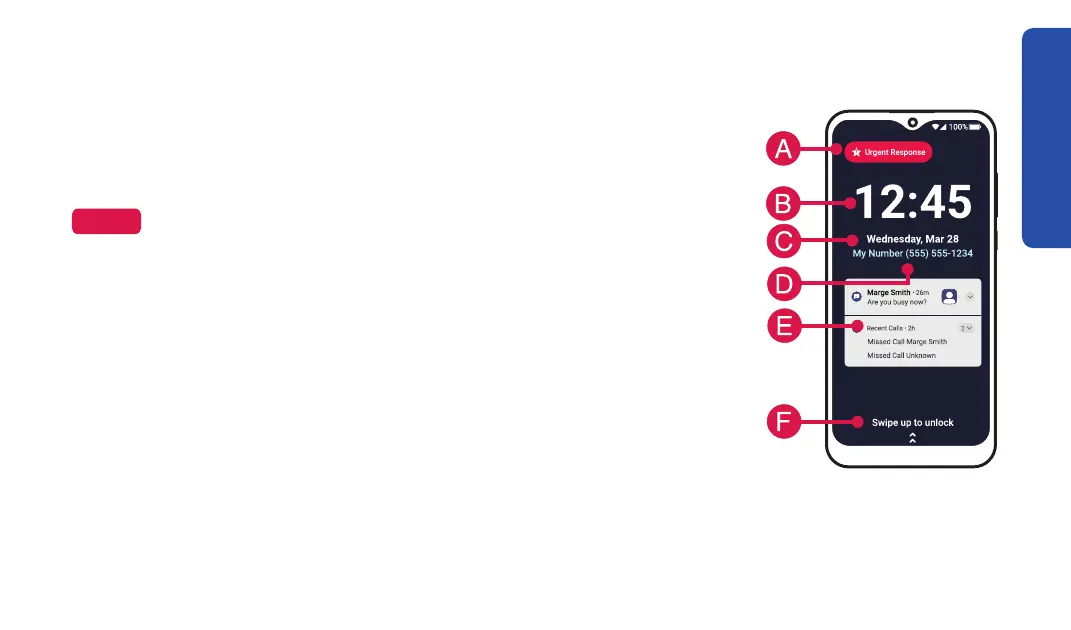
Lock Screen Overview (continued)
A. Urgent Response Button – TAP to get help in an unsafe or
uncertain situation (requires a subscription to Urgent Response).
NOTE
Place Call.
B. Current Time
C. Current Date
D. Your Phone Number
E. Notifications – View text messages, missed calls, app info and
other information directly from your lock screen.
F. Swipe to Unlock
screen to the top in one, quick “swiping” motion to access your Home screen.
31



 To Next Page