EasyManua.ls Logo

Lively Jitterbug Smart4 - Page 67

Lively Jitterbug Smart4
154 pages
Print Icon
To Next Page IconTo Next Page
To Previous Page IconTo Previous Page
Loading...
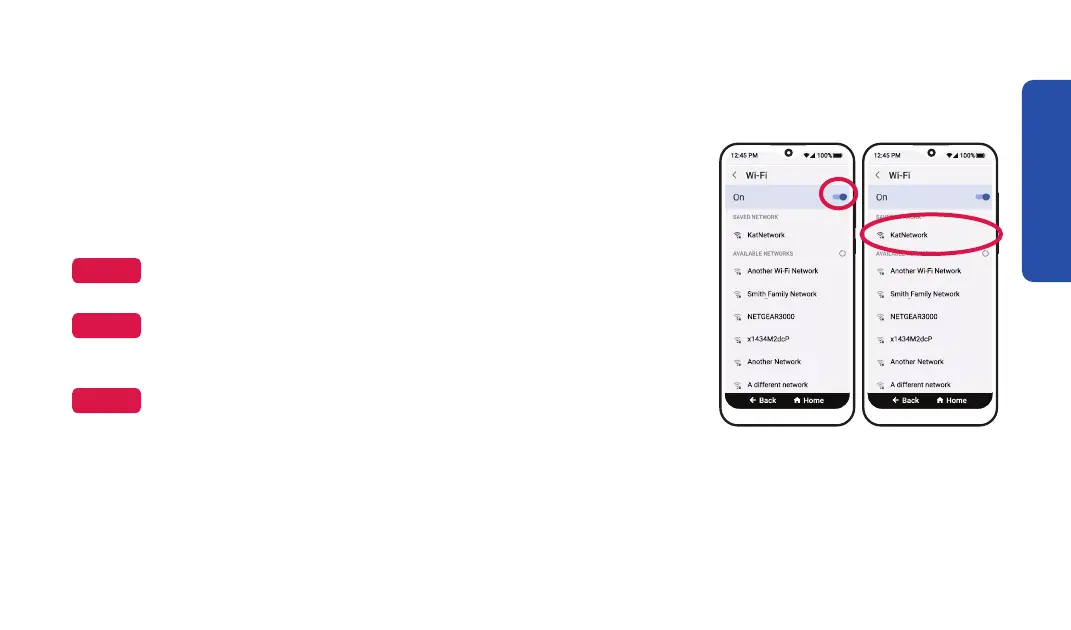
Connecting to Wi-Fi (continued)
Step 4 Step 5
4. TAP the Wi-Fi On switch to turn on Wi-Fi.
5. TAP your network name from the list.
6. Enter the network password and TAP CONNECT.
NOTE
TAP Show password 
NOTE

settings for future reference.
NOTE

Internet Service Provider (ISP).
Learning the Basics
59

Table of Contents

Related product manuals