Text Messages
Sending Photo Messages (continued)
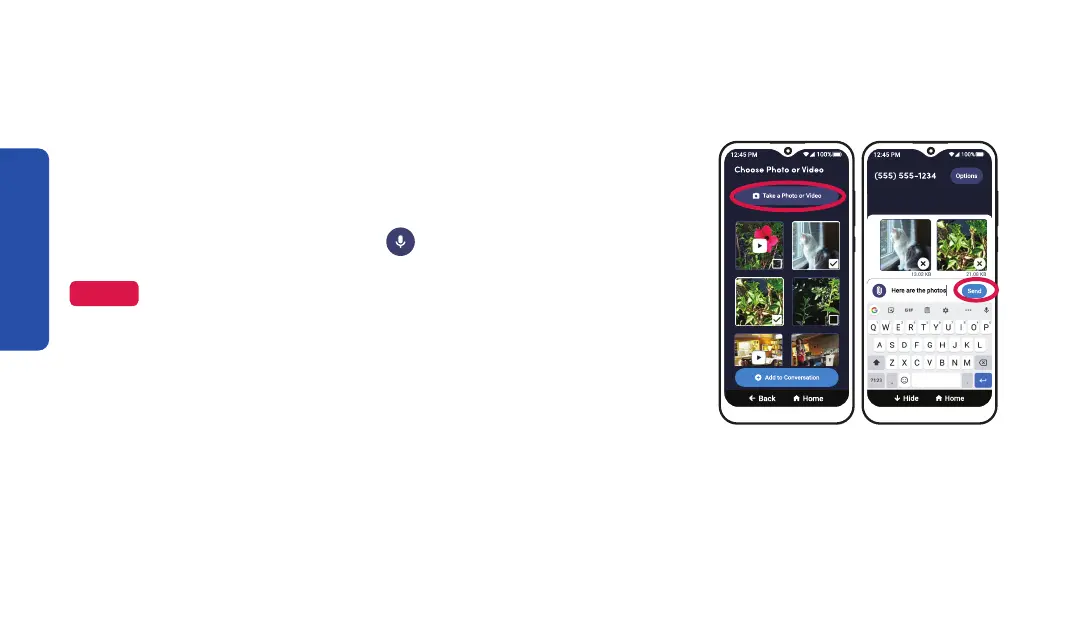
Step 3 Step 5
3. TAP Take a Photo or Video if you want to take a new photo or
video, then TAP Attach.
4. Optional: Compose your message using the
On-Screen Keyboard or with
Voice Typing.
NOTE
See "Voice Typing" on page 49 for instructions on how to compose a
message using your voice.
5. TAP Send.
88



 To Next Page