76 CHAPTER 8: OPERATION
TRYTON 107/112
4.6. Time for loading a new bar and top cut positioning
Only for CAM lathe type
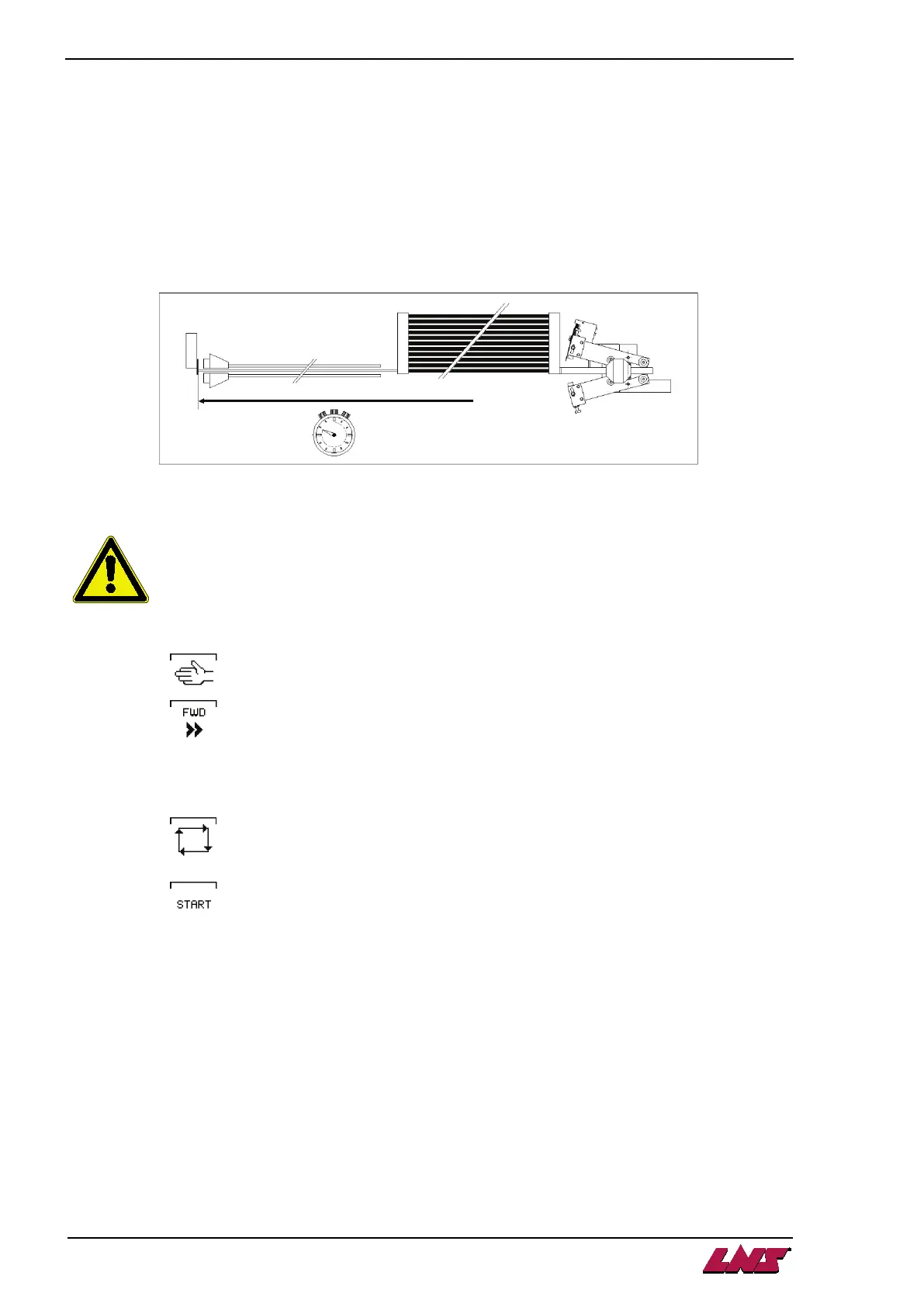
On loading, the bar is inserted into the spindle then positioned in the lathe clamping device against either
an end-stop or the lathe cutting tool.
The bar-feeder has a timer, programmed by the operator, whereby he can introduce the bar into the lathe
clamping device in the desired position.
This is adjusted by eye and depends on a number of factors such as bar length, feed speed,
bar-feeder and spindle length, etc.
4.6.1. Setting
Lathe stopped at end of part !
Insert a short bar fed into barrel, in the tube aligned on the connector.
1) Press the key.
2) Press the key and insert the bar into the bar-feed clamp.
Then continue to feed until the connector is against the barrel and the hydraulic pump cuts in.
3) On the lathe, bring the end-stop or the cutting tool to the position where the bar should stop.
4) Press the key.
5) Press the key.
The bar advances up to the lathe end-stop. After a moment, the lathe should cut in.
• If the lathe cuts in before the bar arrives, increase the time.
• If when the bar is in position, there is a long pause before the lathe cuts in, decrease the time.
6) Enter the new setting on the digital keypad
7) To save the new setting, hold on [ENTER] key until the icon disappears (about. 2 sec.).
8) To exit adjustment mode, to press the [MENU] or [STOP] key.












 To Next Page