Loadrite L2150 User Manual
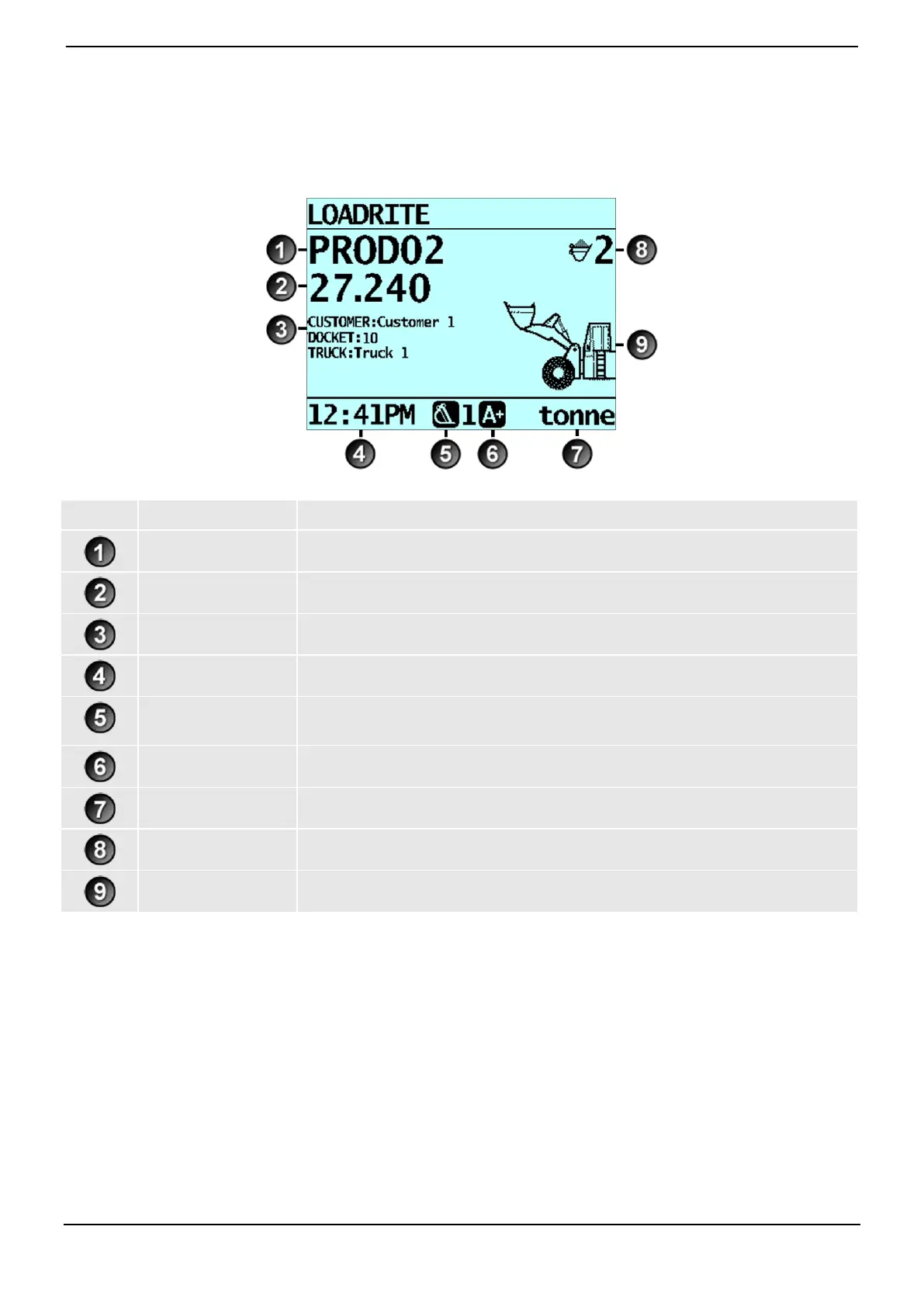
4. TOTAL SCREEN
The Total screen is the first screen that you will see when you turn on the Indicator. It displays the short total, number of
bucketloads and other information.
The product being loaded.
The current short total of material that has been loaded.
The current values of each Customizable Data Field.
The weighing implement being used by the loader.
Indicates that the Auto-add functionality is On.
The unit of weight being used. The Short total is displayed in this unit of weight.
The number of bucketloads that have been added to the short total.
A graphic representing the height of the lifted weight.



 To Next Page