6.1. TARGET WEIGHING MODE
Target Weighing mode is only available if selected at installation.
Target Weighing mode provides a simple way to load a truck to a predefined target weight using a series of bucketloads. It is
typically used when loading a truck to its optimum payload.
Before loading, the operator enters a target weight value. Each time a bucketload is added, the target value is reduced by that
amount.
6.1.1. How do I enter Target mode and input a new target?
1) Press to clear the previous short total.
2) Press .
3) When the Target? message is displayed, use the keypad to enter the new target amount.
4) Press .
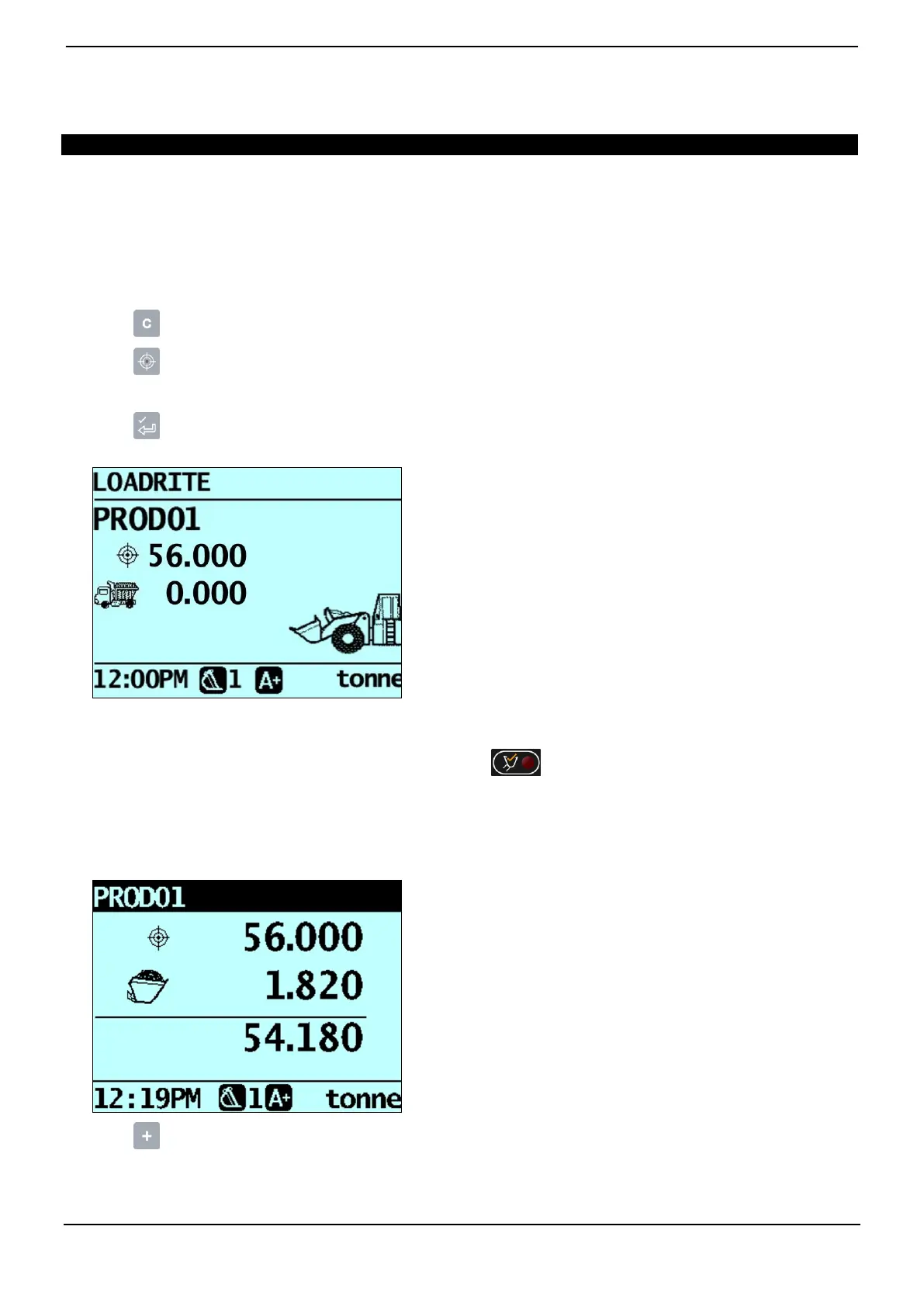
The Target Updated message will display briefly, then the Target screen will be displayed.
5) Raise a bucketload of product smoothly past the Trigger Point using constant engine revs.
The message Weighing will display.
When the bucketload has been weighed, the Indicator will beep, will illuminate and the Live Weight screen will
display the following:
the target weight,
the current bucketload,
the new target weight, if the bucketload is added to the truck.
6) Press to add the bucketload to the truck.
A message will display the number of buckets added to the current load, for example Bucket Add #1.
7) Empty the bucketload in to the truck.



 To Next Page