7. ADVANCED WEIGHING – TIP-OFF
The Tip-off functionality is only available if selected at installation.
Tip-off weighing is the adjustment of the final load. It is possible to tip a measured amount of the product out of the last bucket to
ensure an exact target weight is reached, where the final load would otherwise exceed the truck's capacity. There are two
different methods, depending on the way your Loadrite Weighing System has been configured:
Truck tip-off (default)
Stock pile tip-off
Tip-off is only available in Total and Target modes.
7.1. TRUCK TIP-OFF
Using this method, the operator tips a measured amount of product from the bucket into the truck and dumps the rest.
1) Lift the load in the normal way.
The Indicator will display the lifted weight.
2) Lift the bucket to a suitable height over the truck, then press .
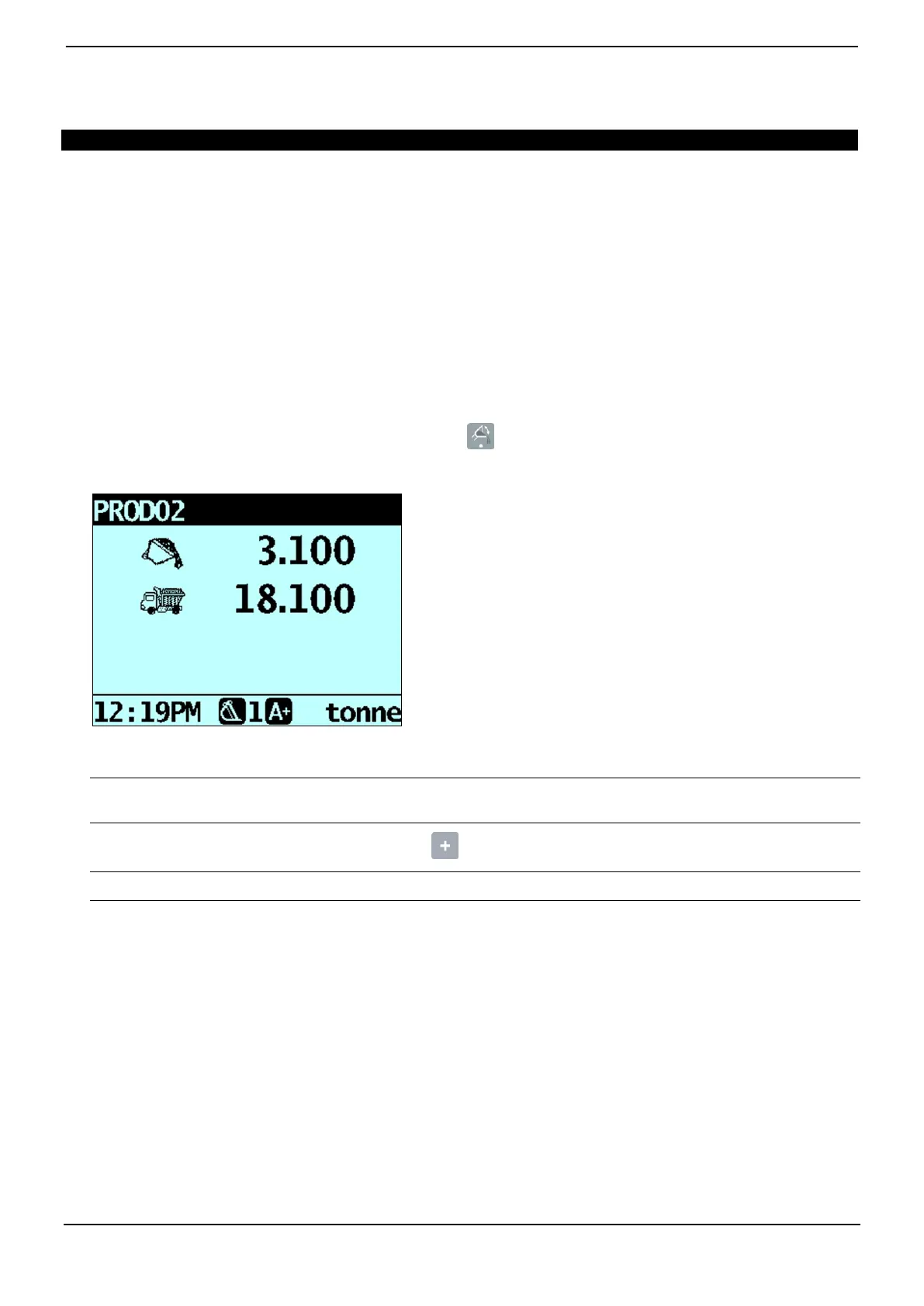
The Tip-Off Wait message will display briefly. Then the screen will display two figures, the amount in the bucket and the
short total.
3) Roll the bucket partially forward, tipping product into the truck. The Indicator will give a live weight as it is tipped into
the truck.
IMPORTANT: Do not raise or lower the lifting arms when tipping, as this will adversely affect the live weight reading. The
bucket needs to be rolled back for an accurate weight.
4) When the required truck load weight is reached, press .
NOTE: You cannot add a weight while the Wait... message is displayed.
5) Move the bucket away from the truck and dump any remaining product.



 To Next Page