Loadrite L2150 User Manual
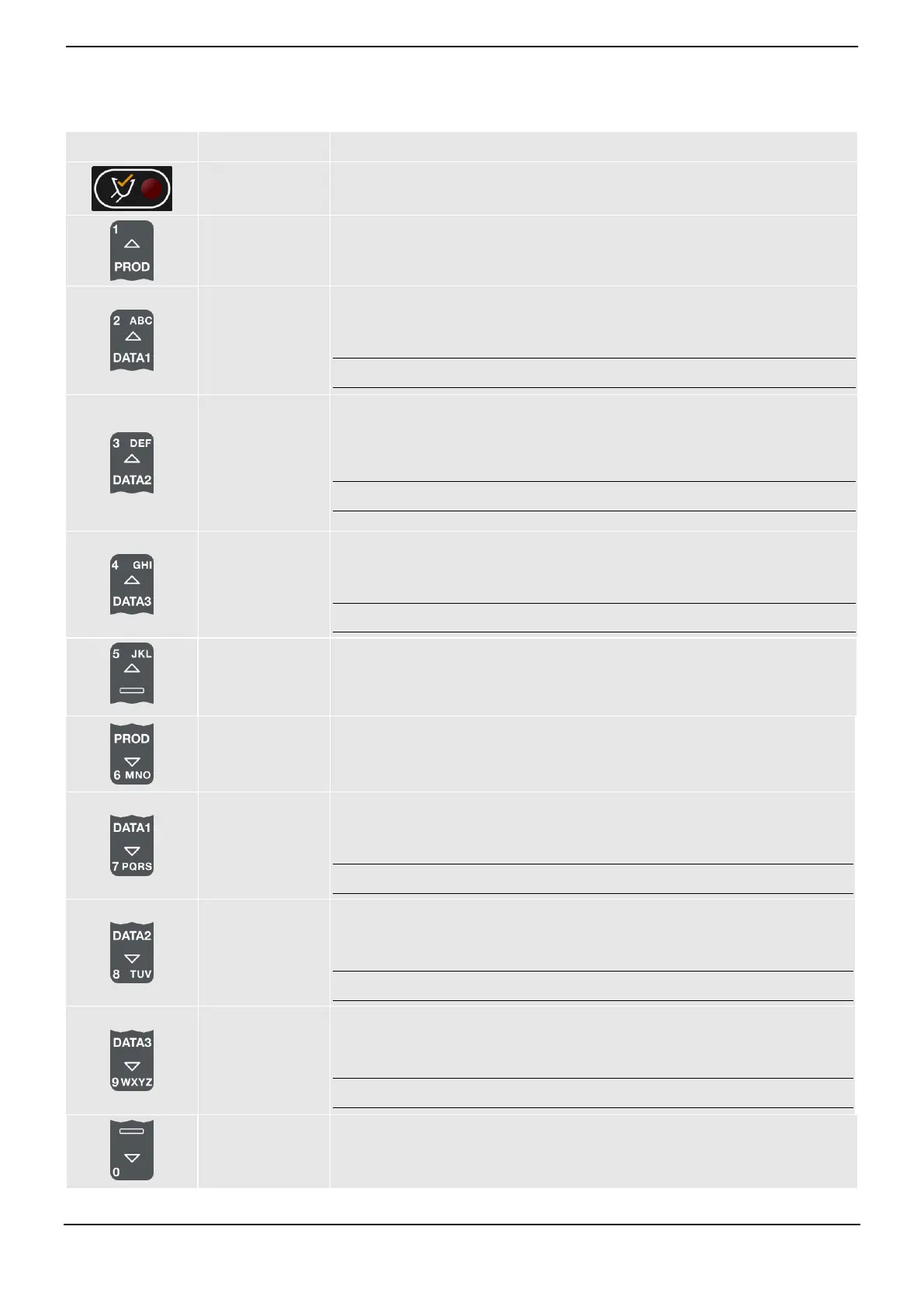
Illuminates when a load is lifted past the Trigger Point. When this light is on, the
load may be added.
Used to enter the number 1.
Displays the Product screen.
Scrolls up the list of products on the Product screen.
Used to enter the number 2.
Displays the Data 1 screen.
Scrolls up the list on the Data 1 screen.
Note: The name of the Data 1 screen will depend on configuration settings.
Used to enter the number 3.
Displays the Data 2 screen.
Scrolls up the list on the Data 2 screen.
Note: The name of the Data 2 screen will depend on configuration settings.
Used to enter the number 4.
Displays the Data 3 screen.
Scrolls up the list on the Data 3 screen.
Note: The name of the Data 3 screen will depend on configuration settings.
Used to enter the number 5.
Used to enter the number 6.
Displays the Product screen.
Scrolls down the list of products on the Product screen.
Used to enter the number 7.
Displays the Data 1 screen.
Scrolls up the list on the Data 1 screen.
Note: The name of the Data 1 screen will depend on configuration settings.
Used to enter the number 8.
Displays the Data 2 screen.
Scrolls up the list on the Data 2 screen.
Note: The name of the Data 2 screen will depend on configuration settings.
Used to enter the number 9.
Displays the Data 3 screen.
Scrolls up the list on the Data 3 screen.
Note: The name of the Data 3 screen will depend on configuration settings.
Used to enter the number 0.



 To Next Page