EasyManua.ls Logo

Loadrite L2150 - Output;Input Connections

Default Icon
54 pages
Print Icon
To Next Page IconTo Next Page
To Previous Page IconTo Previous Page
Loading...
10-44
Loadrite L2150 User Manual
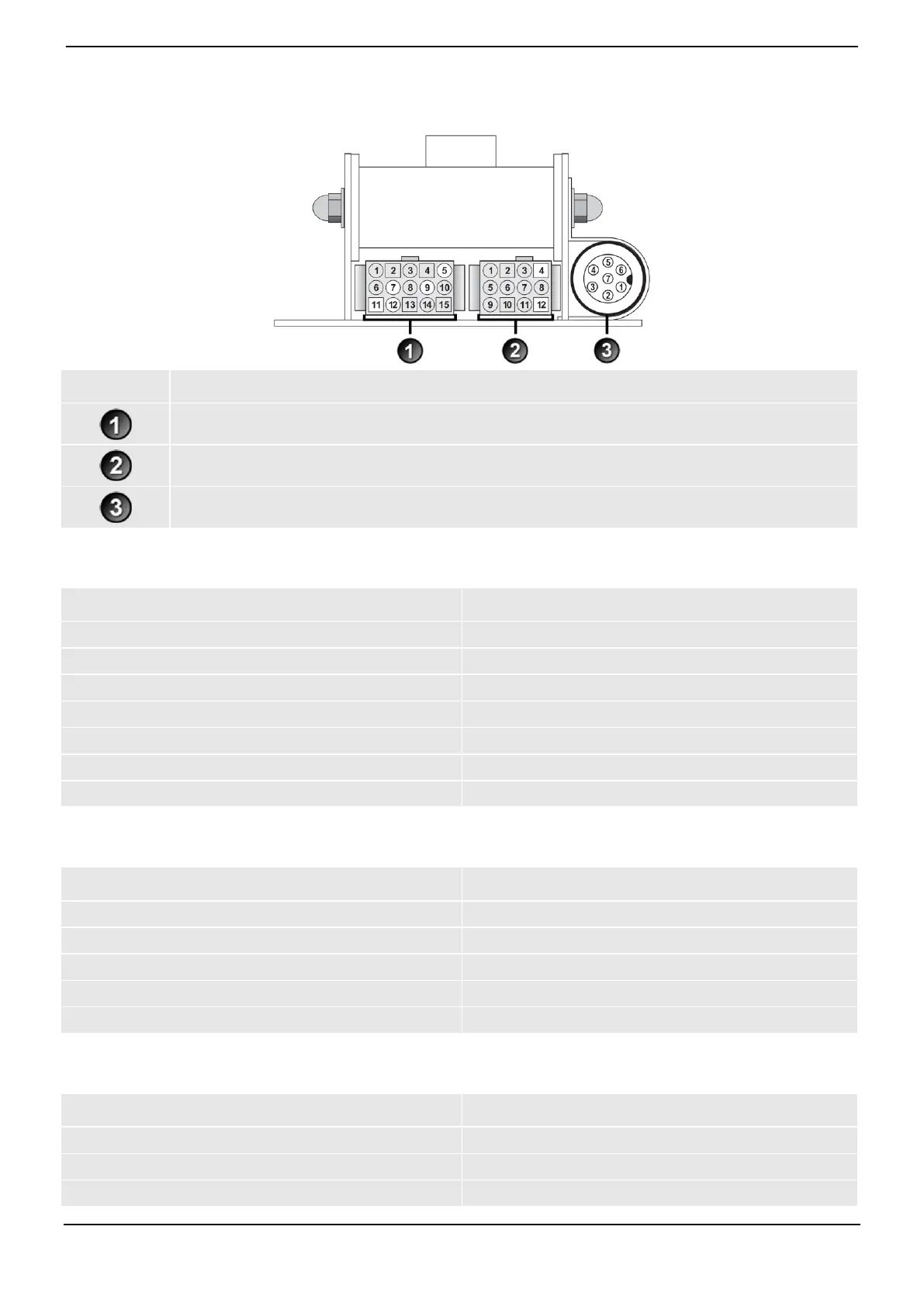
10.8. OUTPUT/INPUT CONNECTIONS
Connection
Power / Control
Printer / Data Logger
Pressure Transducer
10.8.1. Power / Control
1. Negative supply (ground)
2. Positive supply
3. Remote button 2 (clear)
4. Remote button 1 (add)
5. Tilt sensor 1
6. Tilt sensor 3
7. Tilt sensor 2
8. +VAUX
9. Digital out
10. Boom position
11. Stick position
12. CAN hi
13. CAN lo
14. +V raw
15. Ground output
10.8.2. Printer / Data Logger
1. Negative supply to printer
2. Positive supply to printer
3. +VAUX
4. RX2
5. TX2
6. Printer RS232 output
7. Printer busy input
8. Loadrite Data Module RS232 input
9. Loadrite Data Module RS232 output
10. Ground output
11. Boot
12. N.C.
10.8.3. Pressure Transducer
1. +VAUX
2. Return pressure input
3. Transducer current input
4. +VAUX
5. Lift pressure input
6. Shield
7. Ground

Table of Contents

Related product manuals